How to Use AI for Project Management in 2026
See how to use AI for project management on planning, updates, chat, and reports, with approval rules and a one-project pilot.

93% of GenAI “trailblazers” reported increased productivity, compared with 58% of low adopters, in the Project Management Institute's 2024 global survey of 500 project professionals already using generative AI. Trailblazers used it across at least half of their projects. These are perceived outcomes from a survey, not proof that AI causes better delivery.
The practical lesson isn't to give an agent control of the project. It's to use AI consistently for repeatable coordination while people retain decisions about scope, deadlines, money, and commitments. Knowing how to use AI for project management means defining what it may draft, which records it should trust, and when it must stop.
AI Jobs Worth Starting This Week
Start with work that takes effort to assemble but is straightforward for a project lead to check. Turning scattered comments into a status draft fits that description. Deciding whether a client's launch can move does not.
A useful AI output should replace an existing piece of coordination work, not create another digest everyone has to read. If the team already ignores the weekly summary, generating more summaries won't help. Ask for changed decisions, unresolved blockers, and actions that need an owner instead.
Where AI drafts and a person still decides
| Job | AI drafts | Person still owns | Start when |
|---|---|---|---|
| Planning | Backlog, suggested owners, dependencies, first schedule | Scope and the baseline the client was promised | A brief or notes exist for one live project |
| Task updates | Status draft and items missing an owner or date | Whether work is actually done | Comments or chat mention the task |
| Collaboration | Decision summary, action items, reply draft | The message that leaves the team | A thread has a decision buried in it |
| Reporting | Weekly progress, risks, and hours with sources | Forecast, budget comment, and external status | Tasks and time logs cover the week |
For planning, give the agent the approved brief rather than a loose description of the desired result. Have it distinguish requirements from proposed tasks. A sensible production step can still be outside the agreed scope, and a suggested owner isn't an assignment until someone confirms capacity.
Task updates work best when the agent compares recent evidence with the existing record. A designer saying the layouts are ready for review doesn't mean the layouts are approved. The useful output is a proposed status with supporting evidence, not an automatic move to Done.
Choose the job with the easiest verification
Collaboration is a good starting point when decisions disappear inside long threads. Ask the agent to separate the decision, its rationale, and the resulting actions. Keep unresolved alternatives visible rather than allowing the summary to manufacture agreement.
Reporting is useful when gathering material takes longer than interpreting it. An agent can assemble completed tasks, open risks, and logged hours, but the project lead must distinguish hours recorded from hours still required. Neither a busy timesheet nor a polished report establishes that a project is on track.
Practical rule: Choose an output whose accuracy you can check against the project record. Don't begin with a forecast that nobody can explain.
Avoid launching all these jobs together. If a generated backlog creates duplicate tasks while a reporting agent summarizes those duplicates, you've automated confusion.
Circle one row in the table. Choose the job with accessible inputs, a named reviewer, and an obvious place for the approved output to live.
Bad Project Data and What to Do
Say a client launch has a status field that hasn't changed since last week. The latest chat says legal approval is blocked, while a copied brief still lists the old launch date. An agent can combine those records into fluent prose without resolving which version is authoritative.
Connecting more tools doesn't fix that conflict. In Mastt's construction project-management survey, 29.6% of construction project managers identified accuracy and trust as their top AI-adoption concern. For an agency or internal team, the operational question is equally concrete: can the lead establish where each claim came from?
Scattered information needs reconciliation before it becomes a plan.
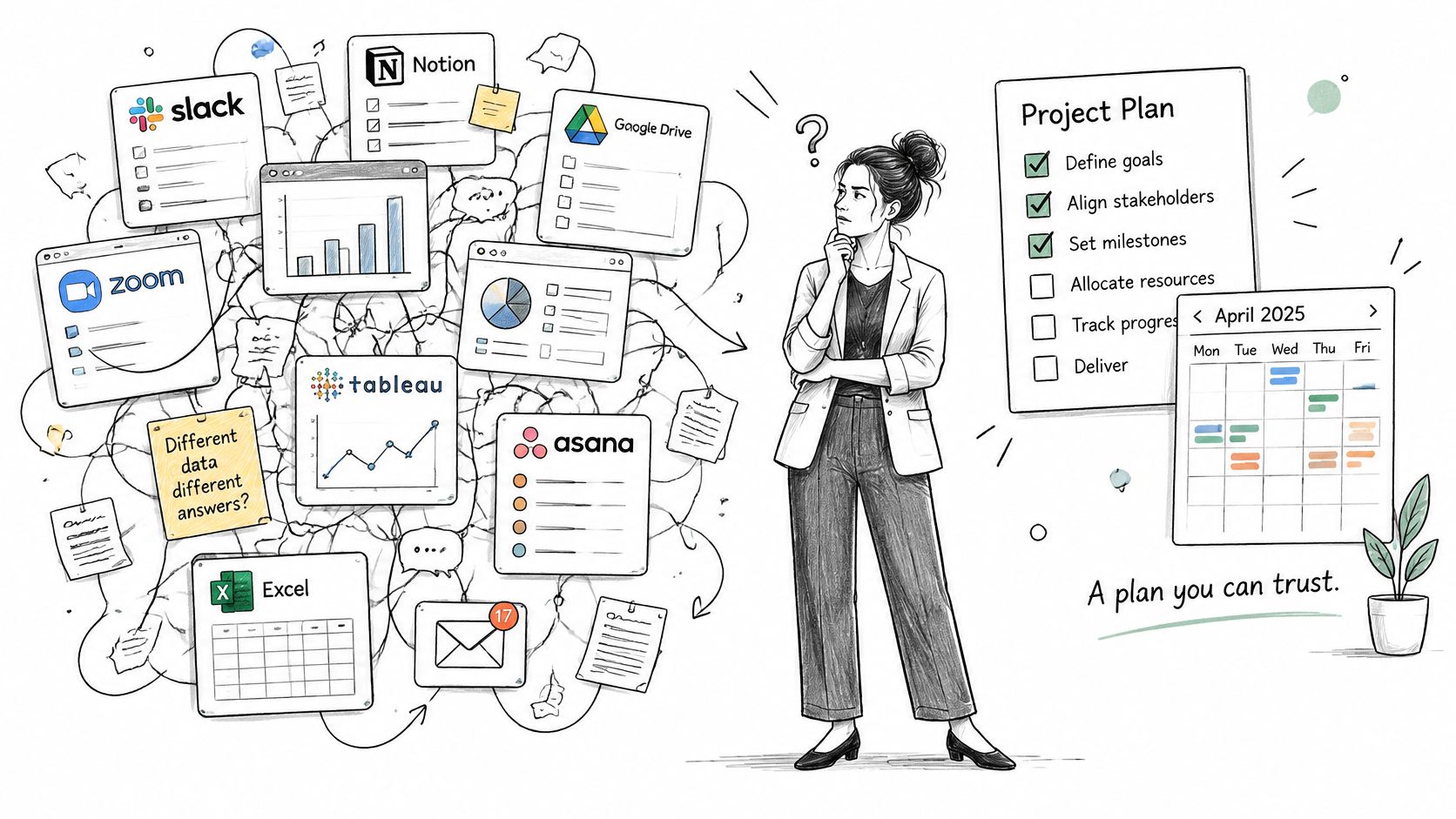
Context readiness check before AI acts
| Check | Pass looks like | Stop signal |
|---|---|---|
| Authoritative source | One named field for status, owner, and date | Two tools or copies disagree |
| Owner and deadline | Every open task has both | Tasks with no owner or no deadline |
| Document freshness | Each source dated within the current cycle | Brief or status field a week stale |
| Fact versus assumption | Each statement marked confirmed or assumed | Summary cannot link back to a task, message, or file |
| Historical basis | Comparable past projects exist for the forecast | No history, or teams disagree on at risk or complete |
Name an authoritative location for each field, not necessarily a single application for everything. The task board might own status, the approved brief might own scope, and the accepted schedule might own milestone dates. Tell the agent which wins when a conversation contradicts a field, or require it to flag the conflict.
Document freshness also needs judgment. An older approved specification may remain valid; a recent draft may not. Record the approval state alongside the date so the agent doesn't mistake recency for authority.
Poor data, biased historical estimates, opaque reasoning, and over-reliance can turn an unsupported conclusion into an apparently credible project update.
When the honest answer is not to forecast
Don't request a delivery forecast when there's no comparable project history. Don't ask an agent to classify risk before the team agrees what at risk means. If the only evidence is an unresolved chat argument, ask it to identify the disagreement, not settle it.
Historical estimates deserve particular scrutiny. If previous plans consistently omitted review cycles, using those plans as training examples will preserve the optimism rather than correct it.
Start with an operational cleanup: assign missing owners and dates, write a definition of done, and require source references before generated content can become a project record. I'd skip forecasting until the ownership cleanup and definition of done are complete, with traceable evidence available for every forecast input. A better prompt can't substitute for those controls.
How to Work AI Into One Project Week
Use a client launch as the working project. Keep the agent's job narrow enough that the lead can compare its output with actual work rather than evaluate an impressive but sprawling answer.
In PMI's report on expanding GenAI use, 53% of surveyed project professionals used it to summarize or review content, and 62% of those users said it improved their productivity. Summaries and review drafts are a defensible foundation, provided the reviewer checks what the agent omitted as well as what it included.
Use this workflow to keep preparation, execution, and review separate.
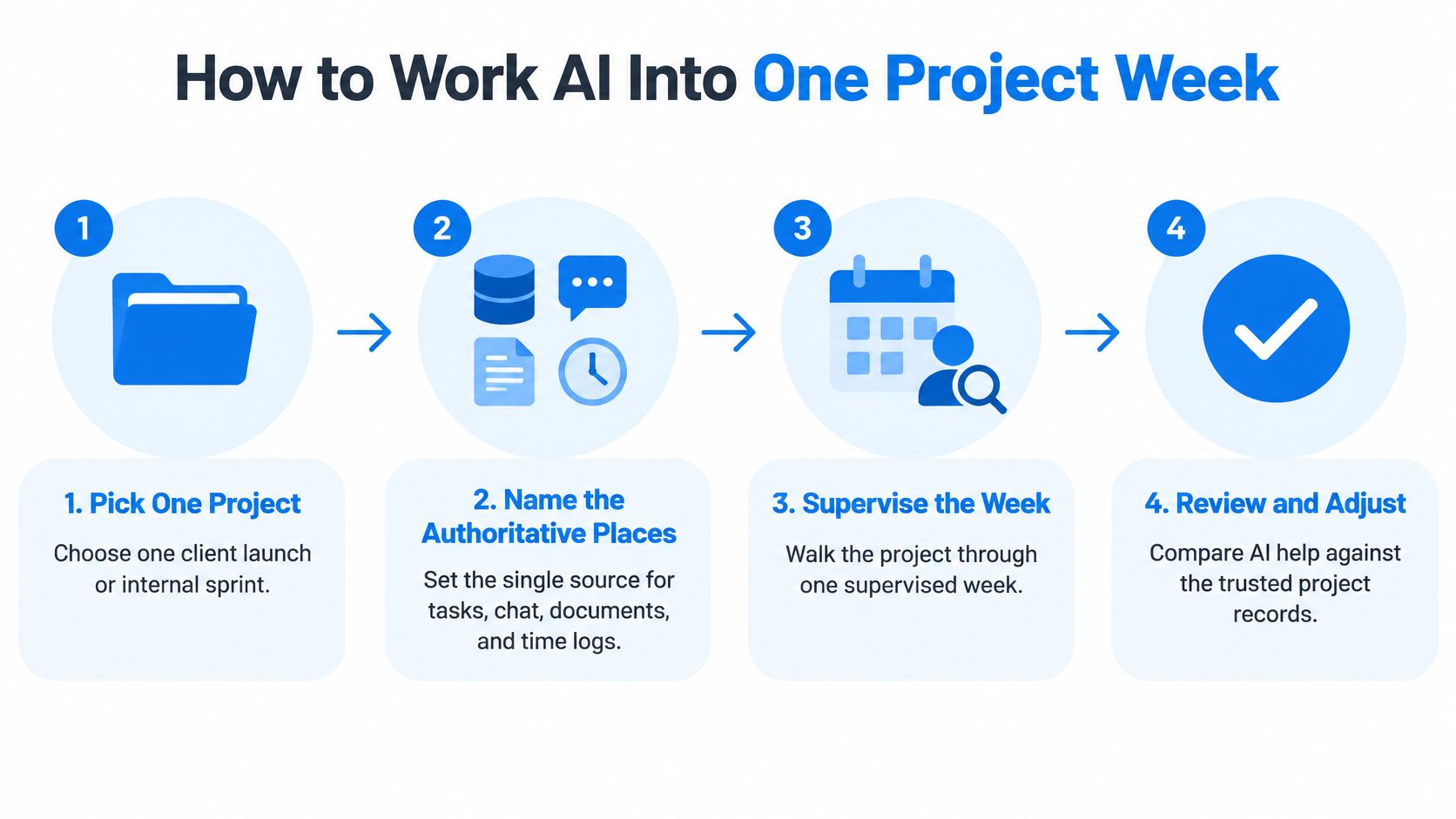
Run the week with explicit inputs and outputs
Pick the project and name its records. Give the agent the approved task location, project chat, current documents, and time-log source. Ask it to list the material it can access before drafting anything. A plausible response based on an inaccessible attachment is unsafe, even if the surrounding summary is accurate.
Build Monday's draft from the approved source. Paste the approved document or last meeting notes and request a proposed task list with owner, due date, dependency, and a short source reference. Have the lead remove anything outside scope and confirm suggested assignments. Missing dates should remain missing, not become invented commitments.
Request changes midweek, not another full recap. Point the agent at new comments and messages. Ask for changed tasks, blockers, and unassigned work, with a comparison against the existing task record. Don't let it mark work complete because someone described progress enthusiastically.
Extract decisions when a thread resolves. Request a compact decision summary, resulting action items, and a reply draft. The lead checks who agreed and whether any condition remains open. A person sends the reply, especially when it contains a promise about delivery.
Assemble Friday's status from project evidence. Ask for completed work, next actions, risks, and recorded hours. Keep logged effort separate from estimated effort remaining. A time entry confirms work was recorded, not that the deliverable passed review.
Correct the draft and retain the correction. Compare each claim with its cited record, edit the note, and record why an incorrect statement was rejected. Add that correction to the next run's instructions or project guidance. Don't assume the agent will remember it automatically.
If scheduling itself is the problem, establish a usable task-and-date view before adding an agent. A guide to free project-management scheduling software can help you choose that foundation without confusing tool selection with workflow design.
A Friday prompt with a defined boundary
Use this as a starting instruction:
Using only this project's tasks, comments, and time entries from the current reporting week, write a status note under Done, Next, Risks, and Hours. Cite the task, message, or time entry behind each claim. Mark anything without a source as unverified. Don't infer completion from logged hours or change project records.
Before sending, check each cited line against the activity feed and task record. Pay particular attention to qualifications such as awaiting approval, pending assets, and subject to review. Removing those phrases can turn an accurate progress note into a false completion claim.
For a companion walkthrough, use the video alongside the project records rather than in place of them.
Put a dedicated review block on the lead's calendar before the status deadline. The draft must stay a draft until that review happens; otherwise, convenience becomes approval.
Approval Rules Before an Agent Acts
More autonomy isn't the goal. Autonomy is a risk setting, and the right setting changes with the consequences of an error.
In Tempo's portfolio-management report, quality and oversight of AI output was a leading concern at 43%, followed by process integration at 38% and governance, compliance, and risk at 36%. Those concerns belong in the workflow itself, not in a policy document the agent never receives.
The approval boundary should be visible to everyone assigning work to the agent.
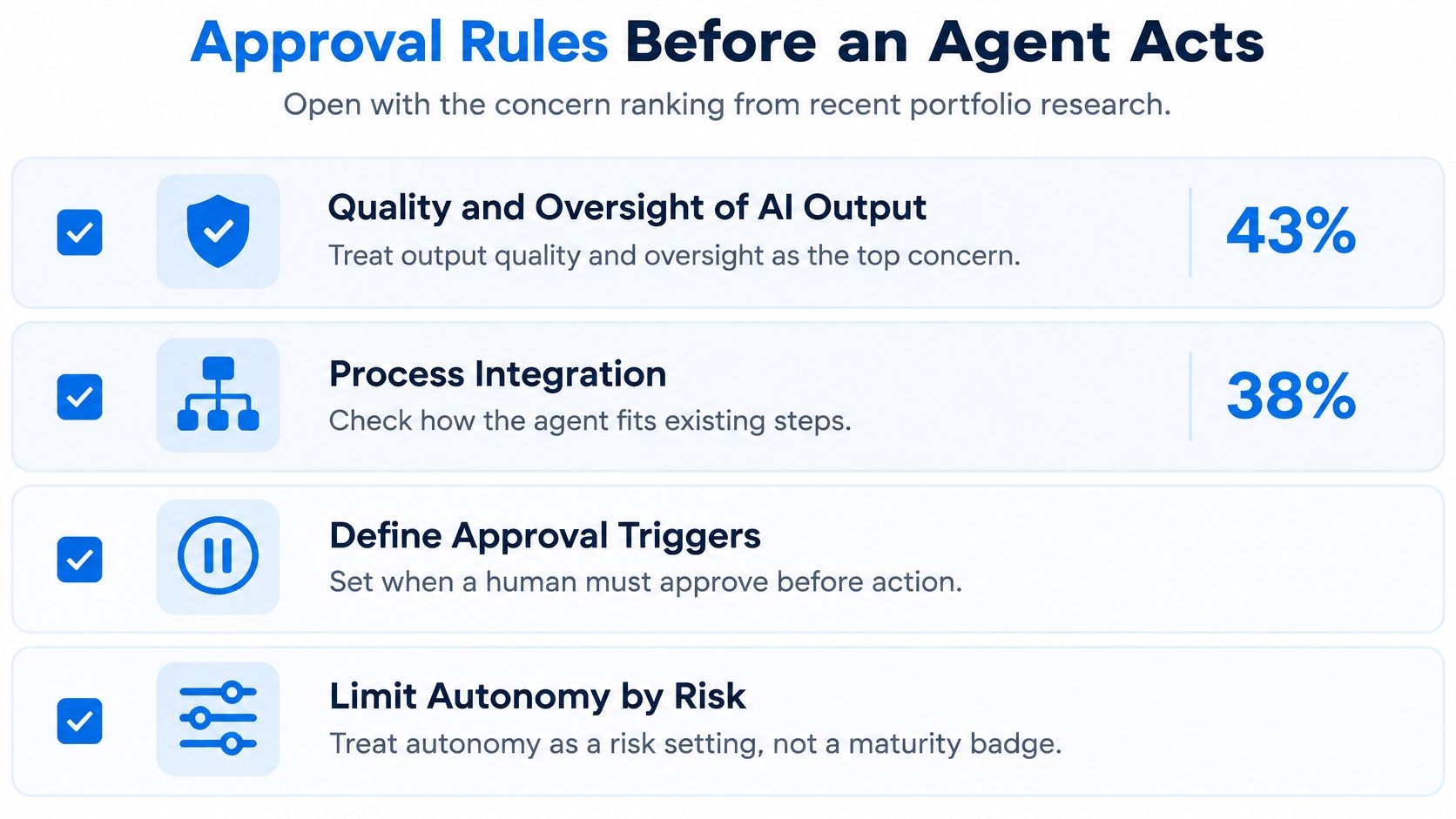
What an agent may do without a person
| Action | Agent may | Needs a person | Escalate when |
|---|---|---|---|
| Draft a task from chat | Yes, as a draft only | Owner and date confirmed | No source, or two priorities conflict |
| Suggest a status change | Suggest only | Owner accepts it | It would mark work complete without evidence |
| Change a deadline | No | Project lead | Client commitment or critical path |
| Send a client update | Draft only | The accountable sender | External or contractual wording |
| Change a budget or forecast | No | Sponsor or project lead | Money, staffing, or the baseline |
| Flag a schedule risk | Yes, with cited sources | Lead reviews the flag | Thin history or low confidence |
A draft task is reversible. A revised deadline may already have affected staffing, procurement, or a client's campaign plan before anyone notices the mistake. Treat those actions differently even if the software makes them equally easy to execute.
Approval must cover the actual proposed change. A general instruction to keep the project current isn't permission to move milestones. Show the reviewer the old value, proposed value, supporting evidence, and downstream effect.
Make escalation part of normal work
Pause the agent when a source is missing, evidence conflicts with the approved baseline, or the recommendation depends on uncertain assumptions. External commitments, contractual language, staffing changes, and money should also force review. A confidence label can help describe uncertainty, but it doesn't override those conditions.
For creative work, this distinction matters during revision rounds. A request for another concept can look like an ordinary task while changing the agreed deliverables. Keep that request subject to the same scope discipline used in design project management.
Operating boundary: Use a named person's permissions, prohibit deletion, and preserve a reviewable record of every write. Put disagreements on the task, where the next decision-maker can find them.
Configure technical restrictions where the tool supports them. Where it doesn't, use read-only access or require approval before execution rather than trusting a prompt to enforce security.
The lead should review the activity feed on Friday and investigate unexpected writes. If an owner rejects a suggestion, record the reason on the task instead of resolving it in a private side conversation.
Mark one consequential action your team will never run unattended. Make that prohibition explicit in the agent's instructions and its access configuration.
Pilot the Agent on One Project
Set the baseline and the pass rule before connecting anything. A useful pilot reduces reporting effort and overdue work without increasing corrections or rework. A prettier status note with unchanged slippage is a failed pilot.
Keep the test within a single workspace and live project, with an initial review after a short run of weekly reporting cycles. Use a comparable manual project as a reference so an unusually quiet period doesn't look like an AI benefit.
Pilot scoreboard
| Metric | How to measure | Pass signal |
|---|---|---|
| Status-writing time | Minutes per week spent on the status note, including review | Falls with no rise in corrections |
| Overdue tasks | Count of tasks past due each Friday | Falls across successive weekly reviews |
| Cost variance | Forecast minus actual, if the project tracks it | Stays in line with the manual comparison project |
| Rework items | Defects or redo tickets logged | No rise |
| Late status notes | Notes sent after the due day | Falls |
Keep measurement definitions stable. Don't make overdue tasks disappear by extending their deadlines, and don't exclude review time from reporting effort. For cost variance, retain your existing accounting convention if it differs from the table and document which direction indicates an adverse result.
Use the pilot dashboard to keep setup and measurement visible.
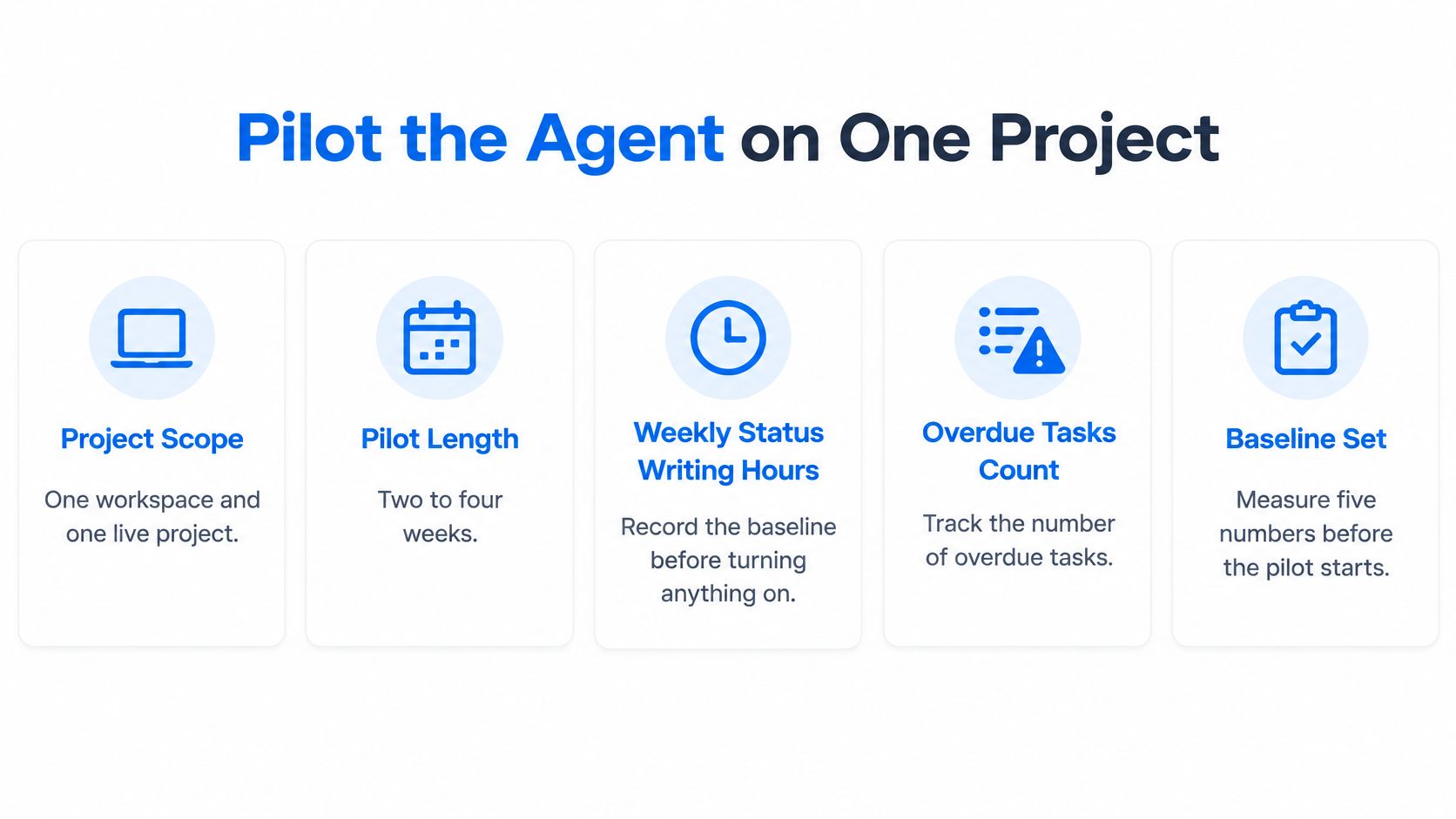
Test the agent rather than the presentation
Begin with reading and drafting. Require a person to accept every proposed task change, and ask the agent to attach evidence, a confidence explanation, and an exception note whenever information is missing. An explanation should identify the assumption that could change the recommendation, not merely claim high confidence.
Log false positives separately from useful findings. A risk that wasn't a risk still consumed review time; a task invented from casual chatter still required someone to reject it. Count that handling effort when judging whether the workflow saves time.
The Association for Project Management's 2025 study reported gains including 68% better on-time delivery and 38% cost reduction. Treat these observational benchmarks as a reason to scrutinize ambitious claims, not as causal effects or targets for your pilot.
The manual comparison won't produce a controlled experiment by itself. Note changes in workload, staffing, and project phase alongside the scoreboard. A launch entering final approval isn't directly comparable with a project still exploring requirements.
Connect only after the test is defined
In Tuff, we support MCP-compatible AI agents on any paid plan. To connect one, add usetuff.com/mcp as a connector in your compatible agent tool and authorize it. The connected agent reads and writes as the authorizing user, can't delete anything, and has its activity recorded in the activity feed; keep the pilot's approved work limited to the selected project rather than assuming the connector itself imposes that boundary.
If you're still comparing systems, use the same pilot criteria when evaluating product-management software options. Judge the ability to inspect changes and verify outputs, not just the quality of the generated demo.
At each Friday review, compare saved drafting effort with correction time and inspect unexpected activity. Stop or narrow the workflow if corrections take longer than the drafting it replaced. Keep client messages and accepted dates under human control throughout the test.
Expand only when the scoreboard improves without hidden cleanup work. Add another project or team deliberately, then check whether the benefit survives different inputs and reviewers.
Tuff brings tasks, chat, documents, files, and time tracking into shared project workspaces, with MCP-connected agents available on paid plans. Visit Tuff to set up a supervised project workflow where an agent helps prepare the work and your team keeps the decisions.