Project Management Software Pricing Models Compared 2026
Project Management Software Pricing explained: per-seat, workspace and hybrid models, with real cost math for teams, agencies and studios in 2026.
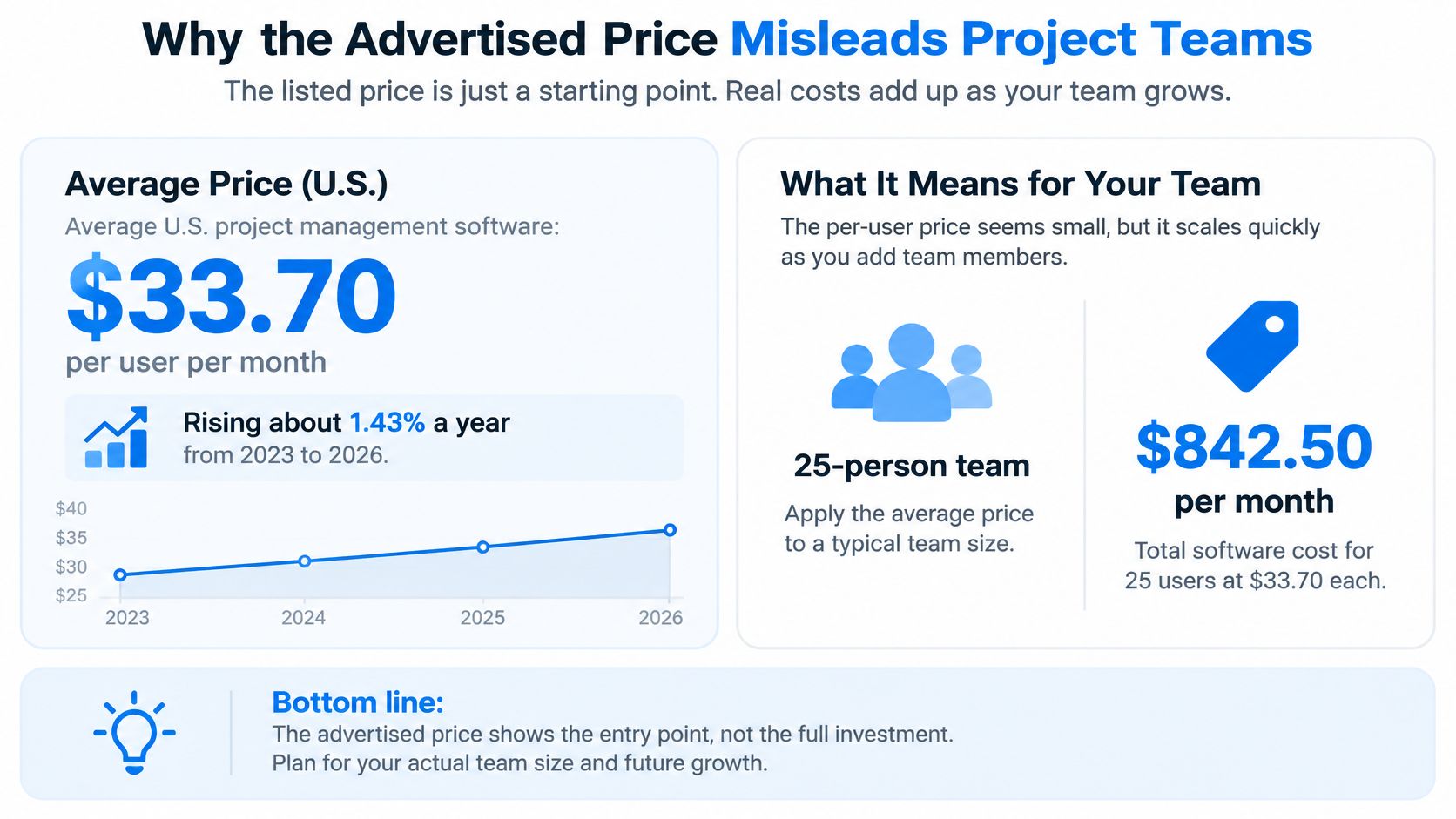
Average U.S. project management software pricing reached $33.70 per user per month in 2026, according to IBISWorld's procurement benchmark, implying roughly $337 monthly for a 10-person team, before taxes or discounts. That's the useful starting point: not the number on the pricing button, but the bill after everyone who needs access has joined.
Why the Advertised Price Misleads Project Teams
A price is only meaningful when you know its denominator. Per user, per workspace, and per feature tier describe different purchases, even when the advertised amount looks similar.
Our Team workspace costs $25 monthly for up to 10 people. Fully occupied, that's $25 ÷ 10 = $2.50 per person. If only one person actively uses it, the effective cost per active person is the entire subscription. Capacity isn't the same as participation.
Count access requirements before comparing prices
Consider an agency that starts with employees, then invites freelance designers and client reviewers during production. Its original quote won't describe the eventual invoice if those participants require paid access.
Record the access requirements that can change after purchase:
- Collaborators: Employees and contractors who create or update work.
- Guests and clients: Reviewers who need access but may participate only occasionally.
- Capacity and features: Files, integrations, or capabilities that require a higher tier.
Don't compare unlike benchmarks, either. A procurement average for U.S. project software isn't interchangeable with a product-list comparison or a median spanning unrelated SaaS categories. Use the benchmark closest to the products and purchasing conditions you're considering.
Practical rule: Write down current headcount, expected headcount, and peak collaborators before opening a pricing page.
Then distinguish billable people from active people. The former determines a seat invoice; the latter tells you whether the purchase is being used. A cheap licensed seat that nobody uses still belongs in the numerator of your cost calculation.
Pricing Models Compared at a Glance
Hybrid pricing increased from 49% of companies in 2024 to 61% in 2025, according to the benchmark compiled by Terms and Conditions Template. Buyers therefore need to identify every billing component, not just classify a product as subscription software.
Project management pricing models by billing logic
| Model | How the bill is calculated | Cost as the team grows | Best fit |
|---|---|---|---|
| Per-user subscription | Licensed users multiplied by the rate each billing period | Increases with each additional billable person | Small, stable teams with few participants |
| Tiered feature plans | Package price, sometimes also multiplied by seats | Steps up when required features or limits change | Teams needing a defined feature set |
| Flat workspace subscription | One workspace price within people and storage allowances | Remains fixed until a capacity limit requires another plan | Agencies and studios with fluctuating collaborators |
| Usage-based | Metered actions, storage, API calls, or AI consumption | Changes with activity rather than headcount alone | Irregular workloads with measurable volume |
| Hybrid | Base subscription plus seat or usage charges | Fixed base plus a changing component | Teams wanting core access with metered expansion |
| One-time licence | Payment for a particular software version | Additional licences or later version purchases require separate budgeting | Stable setups with infrequent changes |
For a concrete perpetual-licence reference, Microsoft lists Project Standard 2024 at $719.99 and Project Professional 2024 at $1,409.99, each as a one-time purchase. Don't treat that purchase as a promise that future versions or additional licences are included.
Read the billing components separately
The table's second column identifies what creates the invoice. The third describes the exposure when your team expands or does more work. The final column is a starting hypothesis, not a verdict.
Feature tiers can overlap with other models. A vendor might charge per user while reserving reporting for a premium package and metering automation separately. In that case, moving up a tier can raise the rate for the whole licensed group.
For a product-level comparison, KeenVerdict's Asana versus Monday for project management can help frame the workflow questions to investigate alongside billing terms.
Tuff charges one price for the whole workspace, not per seat, placing our subscription in the flat-workspace category. That makes participant access predictable within capacity, but it doesn't establish that the plan is cheapest for every workload.
Seat Pricing Versus Workspace Pricing as Teams Grow
A flat plan wins only after enough people use it. The basic comparison is seat rate multiplied by billable people versus the smallest workspace plan that can accommodate the roster and files.
CostBench's 2026 aggregation of 17 project-management products reports a typical rate of approximately $16 per user per month, within a $0 to $54 range; the benchmark column below applies that typical rate through headcount × rate.
Monthly cost at a $16 per-user benchmark versus Tuff workspace plans
| Active people | Seat benchmark calculation | Cheapest Tuff plan | Effective workspace cost per person |
|---|---|---|---|
| 5 | 5 × $16 = $80 | Team at $25 monthly | $25 ÷ 5 = $5.00 |
| 10 | 10 × $16 = $160 | Team at $25 monthly | $25 ÷ 10 = $2.50 |
| 25 | 25 × $16 = $400 | Company at $99 monthly | $99 ÷ 25 = $3.96 |
| 50 | 50 × $16 = $800 | Company at $99 monthly | $99 ÷ 50 = $1.98 |
| 100 | 100 × $16 = $1,600 | Company at $99 monthly | $99 ÷ 100 = $0.99 |
| 150 | 150 × $16 = $2,400 | Unlimited at $299 monthly | $299 ÷ 150 ≈ $1.99 |
Capacity assumption: These are the cheapest paid workspace plans by headcount, assuming the files also fit. Team includes 25 GB, Company includes 100 GB, and Unlimited includes 1 TB, with AI agents available on each paid plan.
Where the comparison changes
Using that benchmark as the scenario rate, Team's break-even calculation is $25 ÷ $16 = 1.5625 people, so it becomes cheaper at two billable people. Company's calculation is $99 ÷ $16 = 6.1875, so it becomes cheaper at seven billable people. Those are arithmetic thresholds, not reasons to buy unnecessary capacity.
Company isn't the economical paid workspace choice while Team still meets both requirements. It becomes relevant when the smaller plan's people or storage allowance no longer fits.
A solo user or a lightly used team can lose money on a flat subscription. Crossing a workspace boundary can also create a larger increase than adding another seat.
The falling unit cost also has a limit: unused capacity doesn't generate value. Count people who participate, and compare equivalent capabilities rather than assuming every entry plan includes chat, documents, files, and time logging.
Find the row nearest your expected peak participation, then check whether storage changes the plan selection.
Hidden Costs That Change the Real Price
Is a low per-user price cheaper after fragmented-tool costs and renewal exposure are included? Not necessarily. ClauseAudit's SaaS pricing compilation reports that 78% of CFOs were surprised by hidden fees or contract price increases, a reason to examine the post-purchase bill rather than treating the opening quote as the budget.
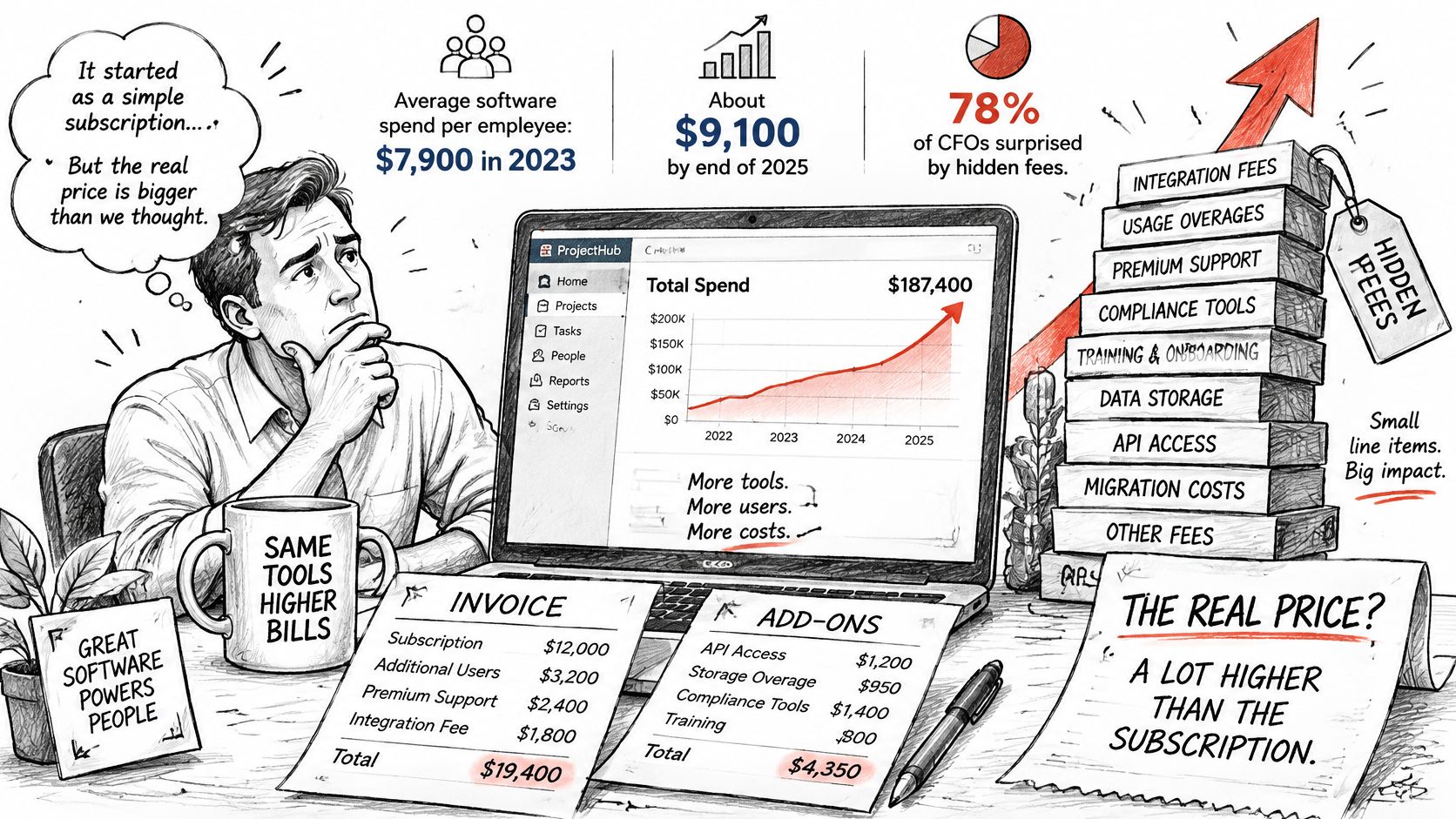
Build a complete cost ledger
Keep recurring cash expenses separate from implementation effort. Otherwise, a migration-heavy purchase can appear expensive indefinitely, while a cheap subscription with ongoing administration can appear artificially economical.
- Renewal exposure: Record notice periods, renewal dates, and the price that applies after any introductory offer.
- Mandatory upgrades: Identify the people, storage, or feature requirement that would force a different package.
- External access: Classify client reviewers and contractors using the vendor's actual billing rules.
- Implementation: Estimate migration, permission setup, training, and parallel operation.
- Integrations: Include connector subscriptions and the work required to maintain them.
- Retained tools: Keep chat, documents, file storage, and time-tracking subscriptions in the model until they're retired.
A bundled workspace doesn't save the price of another application if your team keeps paying for that application. Assign an owner and a cancellation condition to every proposed replacement.
Treat contract protections as budgeting inputs
We give the workspace owner at least thirty days' notice before a plan price increase applies. If a workspace exceeds its allowance, nothing is deleted, but nobody can add people or files until the owner upgrades or makes room. That protects existing content, not uninterrupted expansion.
For businesses also reviewing operational software, UI Lib's Compare POS options with UI Lib is a relevant companion when examining alternatives to recurring fees. Evaluate each category separately rather than assuming a different billing label eliminates ownership costs.
Use total recurring cost ÷ active workspaces to evaluate workspace overhead, and total cost ÷ completed projects to evaluate delivery economics. Cost per client or stored GB can diagnose a specific pressure, but neither replaces a workflow-level comparison.
Published Entry Prices Across Project Tools
The prices buyers see first don't share a common purchasing unit. A per-user entry price buys access for a person; a workspace price buys capacity for a group.
Published entry prices by product and pricing basis
| Product | Published entry price | Pricing basis |
|---|---|---|
| Trello | About $5 per user per month | Per user |
| ClickUp | About $7 per user per month | Per user |
| Asana | About $10.99 per user per month | Per user |
| ProjectManager | About $14 per user per month | Per user |
| Typical across 17 products | About $16 per user per month | Per user |
| Our Team plan | $25 monthly for up to 10 people | Flat workspace |
| Our Company plan | $99 monthly for up to 100 people | Flat workspace |
| Our Unlimited plan | $299 monthly at any headcount | Flat workspace |
The external entry prices are reference points, not feature-equivalent quotations. Billing commitment, included capabilities, and the tier your team needs must be checked before using them as a purchasing estimate.
Compare the first usable tier
Create a requirements sheet with time tracking, chat, documents, integrations, and external collaboration. Mark each capability as included, separately charged, or unavailable at the candidate tier. The relevant price is the first package that meets the whole requirement, not the cheapest package with the right product name.
For startup-specific evaluation questions, TopToolAdvisor's ClickUp insights for startup founders provides another product-focused resource. Teams organizing campaigns can also use our guide to marketing project software to frame the workflow being purchased.
Comparison test: If matching a cheaper plan requires another paid application, compare the combined bill with the alternative workspace, not either subscription in isolation.
Convert the chosen tier into an estimate at expected participation and peak access. Keep the quoted billing commitment beside the result so an annual commitment doesn't disappear behind a monthly-looking label.
Matching Pricing Models to Your Team Type
The right billing model follows the source of cost pressure. An agency managing reviewers, a studio storing production assets, and an internal team replacing disconnected tools shouldn't use the same purchasing shortcut.
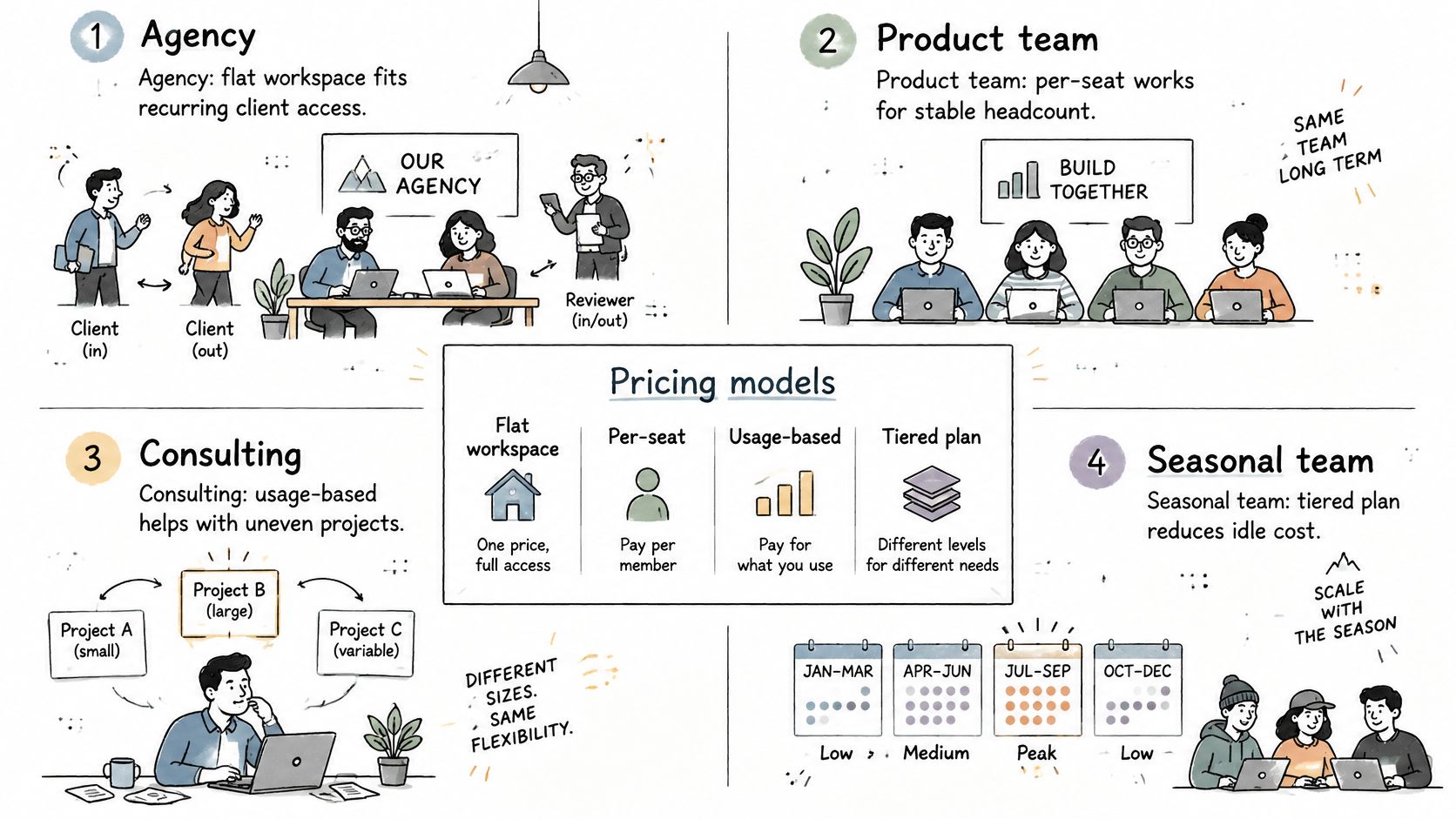
Agencies and creative studios
Agency pressure is roster turnover. Say a project manager needs clients to approve deliverables and freelancers to update tasks. Workspace access may suit that arrangement, but the manager should model the busiest overlapping projects rather than the permanent employee roster.
Verdict: Choose a flat plan only if the likely capacity step-up remains affordable.
A creative studio faces a different constraint: production-file storage. Count retained source files, review exports, and completed-project archives before selecting a package. A small team with large assets may need more storage capacity than a larger team working mainly with documents.
Verdict: Select for storage first, then verify that the participant allowance fits.
Internal teams and AI-assisted work
An internal team's opportunity is actual tool replacement. Our stated comparison for 50 people using Slack Pro and Asana Starter puts Company at $99 monthly, saving $12,156 annually against that setup. The implied arithmetic is $12,156 ÷ 12 = $1,013 monthly savings, but that comparison applies to the named setup, not every subscription mix.
Verdict: Consolidation pays only when the replaced subscriptions can be removed.
AI-assisted teams need to separate access from consumption. G2's 2025 AI agent report found that almost half of organizations prefer variable pricing for AI agents, while high costs, including subscriptions and seat licences, are the leading adoption barrier.
Budget platform subscription, agent or model activity, and governance work separately. Our agents act under the authorizing user's identity, can't delete content, and leave activity-feed records; those controls don't remove the need to review outputs or account for external agent costs.
Verdict: Measure completed work and review effort during a pilot before accepting an AI surcharge.
For migration planning, Linear, Jira, ClickUp, and Basecamp each have a connector an AI agent can use to move projects into our workspace. Compare the operating requirements in our project management platforms guide before deciding which subscriptions can be retired.
Build Your Cost Model and Choose a Plan
Feature-normalize first, then calculate. ProofHub's project-management application comparison lists the external entry prices shown in the product table, including roughly $5 for Trello, $7 for ClickUp, $10.99 for Asana, and $14 for ProjectManager per user monthly, with feature availability changing by tier.
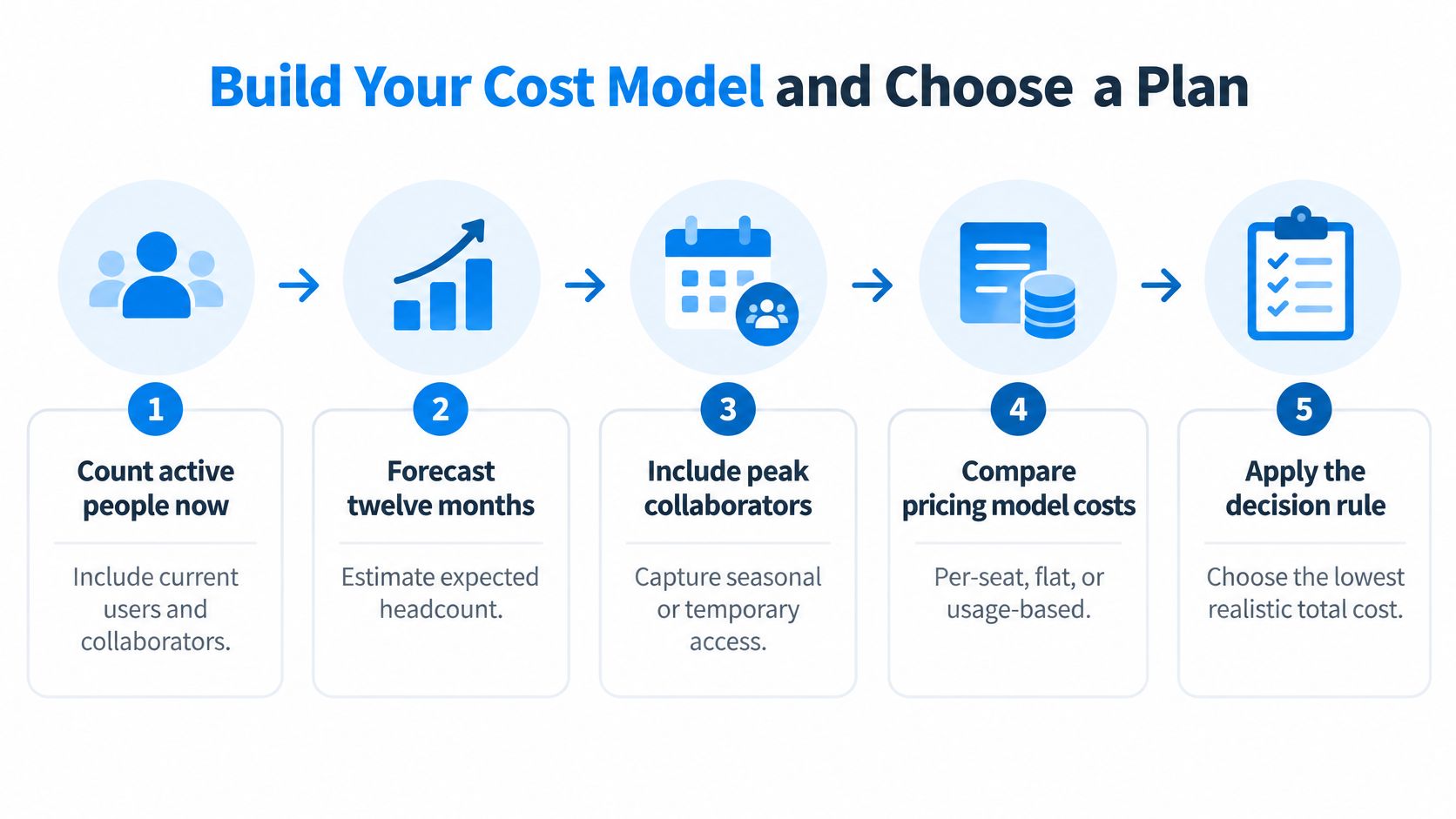
Map participation. Record current active people, expected participation over the coming year, and peak concurrent collaborators. Keep required access separate from regular activity.
Classify external users. List clients, guests, contractors, and seasonal workers by permission requirement. Apply each candidate's billing rules rather than assuming every viewer is free.
Price the required workflow. Find the first tier containing the capabilities used weekly. Add retained applications, metered usage, and implementation effort as separate cost lines.
Calculate realistic annual scenarios. For seats, add each billing period's licensed headcount multiplied by its applicable rate. For workspaces, add the plan charges that apply during each period, including anticipated upgrades. A peak scenario is a stress test, not an assumption that peak staffing lasts all year.
Run a measured pilot. Track completed projects, logged hours, active participation, and administration. Calculate cost per active person, active workspace, completed project, and tracked work hour using the same cost boundary for each candidate.
Apply the decision rule without ignoring workload
A low cost per person can coexist with a high cost per completed project. If many people join but little work gets finished, filling capacity hasn't established value. Compare projects of similar scope, and distinguish one-off migration work from recurring operating costs.
For our plans, test Team against seats when its allowance fits. Company is the headcount fit above 10 and up to 100 people; Unlimited removes the people cap above that, while storage still matters. Initial workflow testing can start on free Duo, which supports two people and 250 MB of files.
Our paid plans renew automatically monthly or annually until cancelled. You can cancel in workspace settings, with access continuing through the paid period. Upgrades change the price immediately and charge the difference for the remaining period; when moving down, amounts already paid count toward the new price.
Choose the lowest realistic total cost, not the lowest advertised unit price. Match your peak roster to a feasible plan, then reject it if the pilot's delivery economics don't justify the expense.
Tuff combines projects, tasks, chat, documents, files, and time tracking under a workspace subscription rather than separate seat charges. Visit Tuff to test your workflow, compare your peak participation with the plan allowances, and measure whether consolidation lowers your cost per completed project.