How to Manage Multiple Projects Without Overload
Learn how to manage multiple projects with a priority rule, a weekly cadence, and WIP limits so competing deadlines stop winning by default.
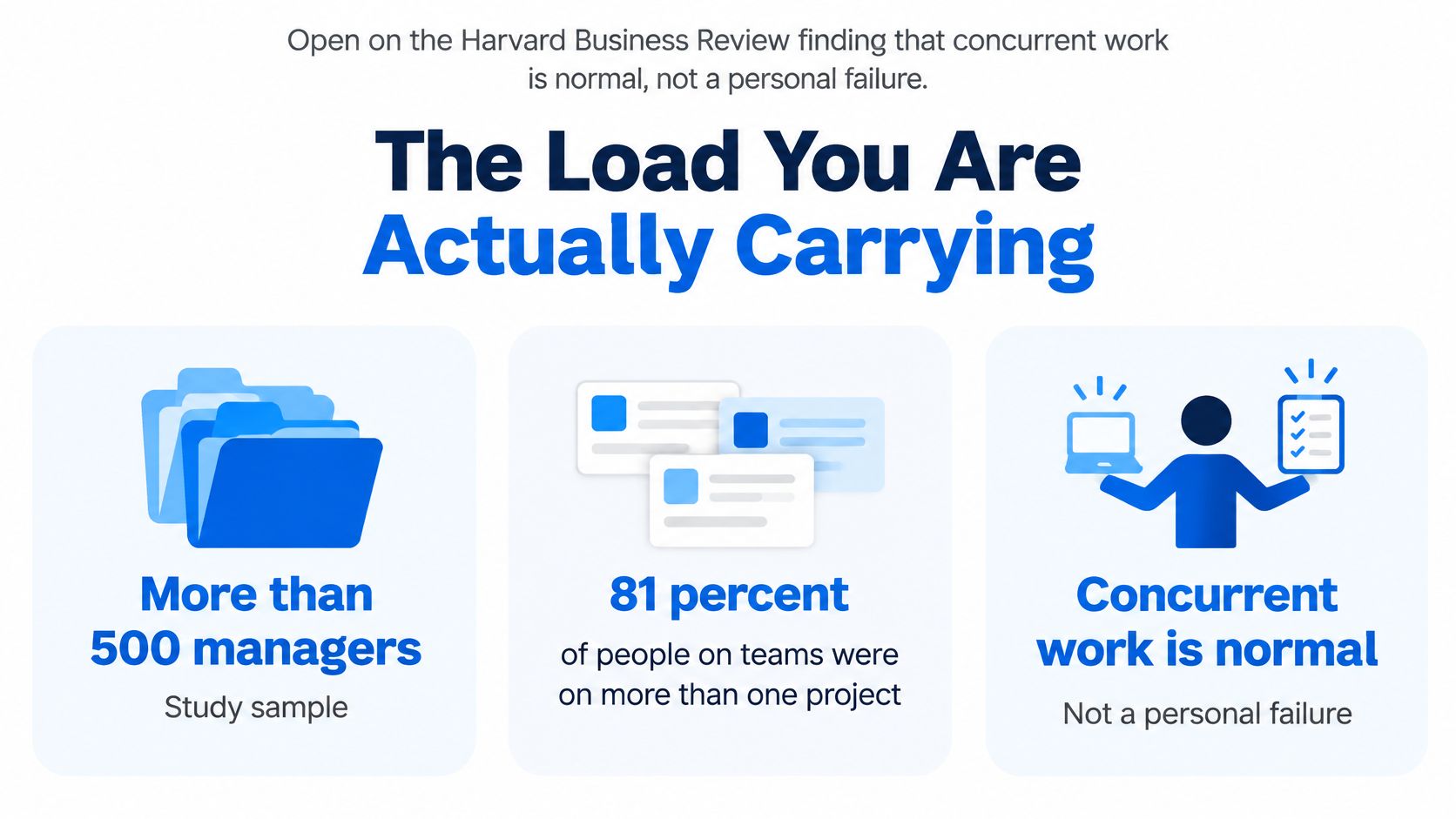
81% of people working on teams were assigned to more than one project at the same time, according to a Harvard Business Review study of more than 500 managers at global companies. Concurrent work isn't a personal productivity failure. If you're deciding how to manage multiple projects, start with who controls shared capacity, not how quickly everyone can clear their task lists.
The Load You Are Actually Carrying
Say you're running an agency portfolio with a website launch, a client campaign, and an internal reporting overhaul. Each project manager has a sensible schedule. Each reports that delivery is on track.
Then you compare assignments. The same designer owes launch assets, campaign revisions, and dashboard mockups. The developer needed for the website also handles operational fixes, and nobody has reserved time for approvals.
The project plans look feasible separately because nobody has checked whether they're feasible together. Asking the designer to organize their day better won't resolve competing promises made by different managers.
Make the whole commitment visible
A project board answers what needs to happen within a project. A cross-project inventory answers what the organization has promised using the people it has.
Include client deliverables, launch work, sprint commitments, recurring operations, and internal improvements. Don't leave account management or review time outside the inventory just because those activities don't produce a billable asset.
For each commitment, record the accountable owner, the next deliverable, its due date, and the people it needs. Show whether the date is agreed externally or merely preferred internally. A date without that distinction invites unnecessary escalation.
Define what under control means
You don't need every project to run identically. You need these conditions visible in a single pass:
- A complete inventory: Everyone can see the commitments competing for the team.
- A named capacity owner: Someone has authority to settle conflicts across project boundaries.
- A written trade-off rule: Project managers know what evidence determines which work yields.
- An acceptance checkpoint: New requests are checked against existing commitments before anyone promises delivery.
For a growing agency formalizing its planning process, MakeAutomation's resource on project planning for growing agency teams provides an additional planning reference. Use planning guidance to make commitments comparable, rather than creating another document nobody maintains.
Practical rule: A new commitment isn't accepted until the owner can name the capacity that will deliver it.
Return to the shared designer. The useful question isn't whether they can make progress on every assignment. It's which finished deliverable the business needs first, what remains possible alongside it, and who will tell the other stakeholder to wait.
That's a management decision. Leaving it to the designer turns a portfolio conflict into a private negotiation with whoever asks most insistently.
Rank Projects When People Collide
Put a five-signal ranking card in front of the person who controls shared capacity. Score every competing project high, medium, or low on each signal, using a short evidence note rather than an adjective alone.
A high cost of delay might mean a contractual penalty, delayed revenue, or a credible client-retention risk. An internal preference for finishing early isn't equivalent. Likewise, a senior stakeholder's enthusiasm doesn't make a deadline externally fixed.
Signals for ranking competing projects
| Signal | Question to ask | High score means | Low score means |
|---|---|---|---|
| Cost of delay | What do we lose each week this slips? | Staff it this week | It can wait |
| Deadline certainty | Is the date external and fixed? | Protect the date | Renegotiate it |
| Dependency risk | Who else stops if this stalls? | Unblock it first | Leave it queued |
| Strategic value | Does this keep a client, launch, or executive promise? | Hold the scope | Cut or defer |
| Specialist scarcity | Can only one person do this? | Reserve their calendar | Reassign or simplify |
Treat medium as a meaningful consequence with room to negotiate. For example, a client review date may matter without being immovable. Record what flexibility exists so the owner can use it.
For a simple starting rule, let high outrank medium and medium outrank low across the combined card. Give capacity to the strongest combined case; settle ties using cost of delay, then dependency risk. Don't let specialist scarcity alone make low-value work important. Scarcity tells you how carefully to allocate someone, not whether the assignment deserves to proceed.
Industry coverage from Runn reports that 59% of project managers handle two to five projects and 15% handle more than ten. A personal urgency sort can't settle conflicts between several managers who each believe their project should come first.
Give the decision a named owner
Appoint one portfolio owner, such as the agency delivery lead, studio producer, or internal portfolio manager. Project managers supply evidence and explain consequences. The owner decides which project keeps capacity and which is deferred, reduced, or stopped.
Record the affected deliverable, the reason, the person responsible for communicating it, and the revisit date. A deferral without a revisit date is an indefinite queue disguised as a plan.
I'd set this escalation policy: if a project manager contests the decision, the portfolio owner takes the scored cards to the sponsor within two working days. The sponsor chooses between the actual alternatives, and the owner logs that decision with its revisit date. While the appeal is open, the published allocation stays in force.
That prevents stakeholders from reclaiming people through direct messages.
Tell the stakeholder what still moves
Say the website launch has a fixed external date and blocks the media campaign, while dashboard styling can move without stopping reporting. Tell the dashboard stakeholder directly:
We're deferring dashboard styling so the designer can finish the launch assets. Reporting configuration will continue, and we'll revisit the styling schedule at Friday's review. If the dashboard must retain its original date, we need approval to reduce its scope or move the launch work.
Don't promise to absorb both requests through extra effort. Name the trade, preserve whatever useful work can continue, and give the stakeholder a clear route to challenge the decision.
Run One Weekly Portfolio Cadence
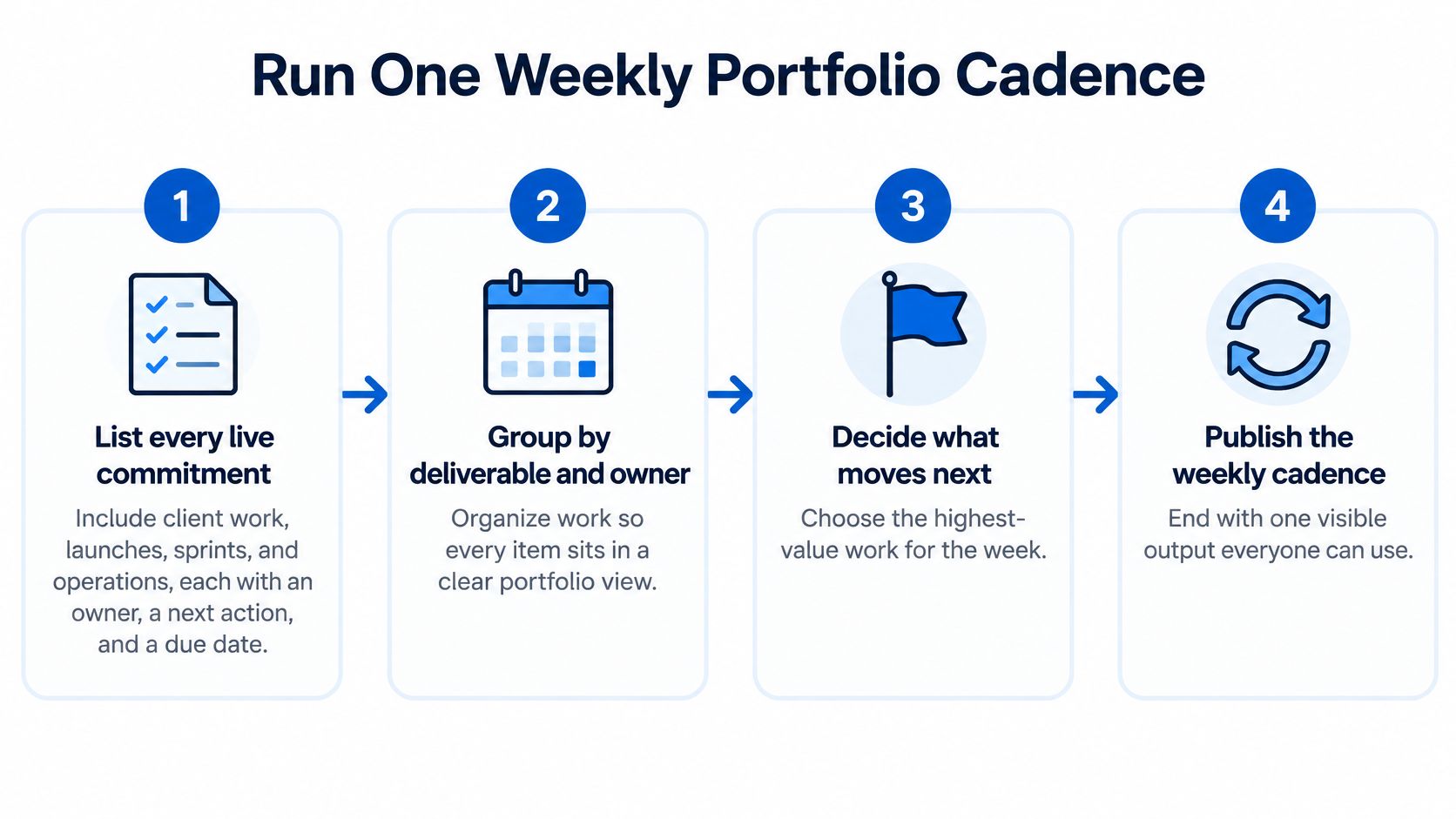
Run the portfolio through a repeatable sequence, with a visible output from every move. Keep the review focused on decisions that affect shared people, dates, or scope. Detailed task discussions belong with the project team unless they change those decisions.
Prepare the commitments and capacity
List every live commitment. Include client work, launches, sprints, and operations. Give each an owner, a next decision, and a due date. Include work awaiting approval if someone will need to act when that approval arrives. Output: one inventory that shows the whole workload, not just the most visible projects.
Cap active execution. I'd start with a limit of one or two actively executing deliverables per person. Define a deliverable as something reviewable, such as an approved landing-page design, rather than a whole website or a trivial checklist item. Park other assignments in a waiting queue, and show blocked work separately with its release condition. Output: an active-work list per person.
Resolve competing claims. Apply the ranking card whenever commitments require the same person during the same period. Record the losing assignment's disposition and revisit date. Don't pretend a queue is a schedule by retaining a due date that no longer has capacity behind it. Output: a logged allocation decision.
Publish status and make the weekly call
Use shared status definitions. Mark a project on track when its next commitment has capacity and no unresolved threat to delivery. Use at risk when intervention is needed to preserve that commitment, and blocked when work can't proceed without a named action or input. Output: one status line per project, including the next decision and its owner.
Keep execution methods appropriate to the work. A launch can use milestone planning while creative exploration uses iterative reviews. PMI's Pulse of the Profession report found no statistically significant performance differences between predictive, agile, and hybrid approaches across its examined performance measures. Standardize visibility, not every team's workflow.
Read capacity through a small set of measures. Track projects per person, deferrals logged, and elapsed days from blocked to unblocked. Read them together: broad assignment counts reveal exposure, deferrals reveal trade-offs, and blocked duration reveals handoff trouble. None should become an individual productivity target. Output: a capacity read identifying where the owner must intervene.
Hold a Friday decision review. Reserve 45 minutes as a starting meeting limit. Check what finished, who exceeded the active-work cap, which deadline changed, and what the team will refuse next week. Bring unresolved conflicts to the meeting with alternatives already prepared. Output: next week's commitments and one explicit written no.
Don't spend the meeting collecting updates that could have been written beforehand. Ask project managers to refresh their status lines before the review so participants arrive ready to choose.
For administrative support, consider using AI for project management to prepare draft summaries or surface missing fields. Keep allocation decisions with the accountable owner, who can judge obligations and consequences that a task record may not explain.
The weekly no must name an actual request. Rejecting a hypothetical task doesn't protect anyone's capacity.
Decide Which Switches Are Worth It
Not every interruption deserves the same response. An approval that releases a waiting developer can be worth handling immediately; an unplanned status check during design production may not be.
Microsoft's Work Trend Index found that highly interrupted employees received a ping approximately every two minutes, while 60% of meetings were unscheduled or ad hoc. Those findings make a strong case for managing access to people, rather than just asking them to concentrate harder.
A naturalistic workplace study of 15 knowledge workers found that participants deviated from their main task every 3.5 minutes on average, while concluding that multitasking wasn't inherently inefficient and depended on context. The practical distinction is the value of the switch versus the cost of returning.
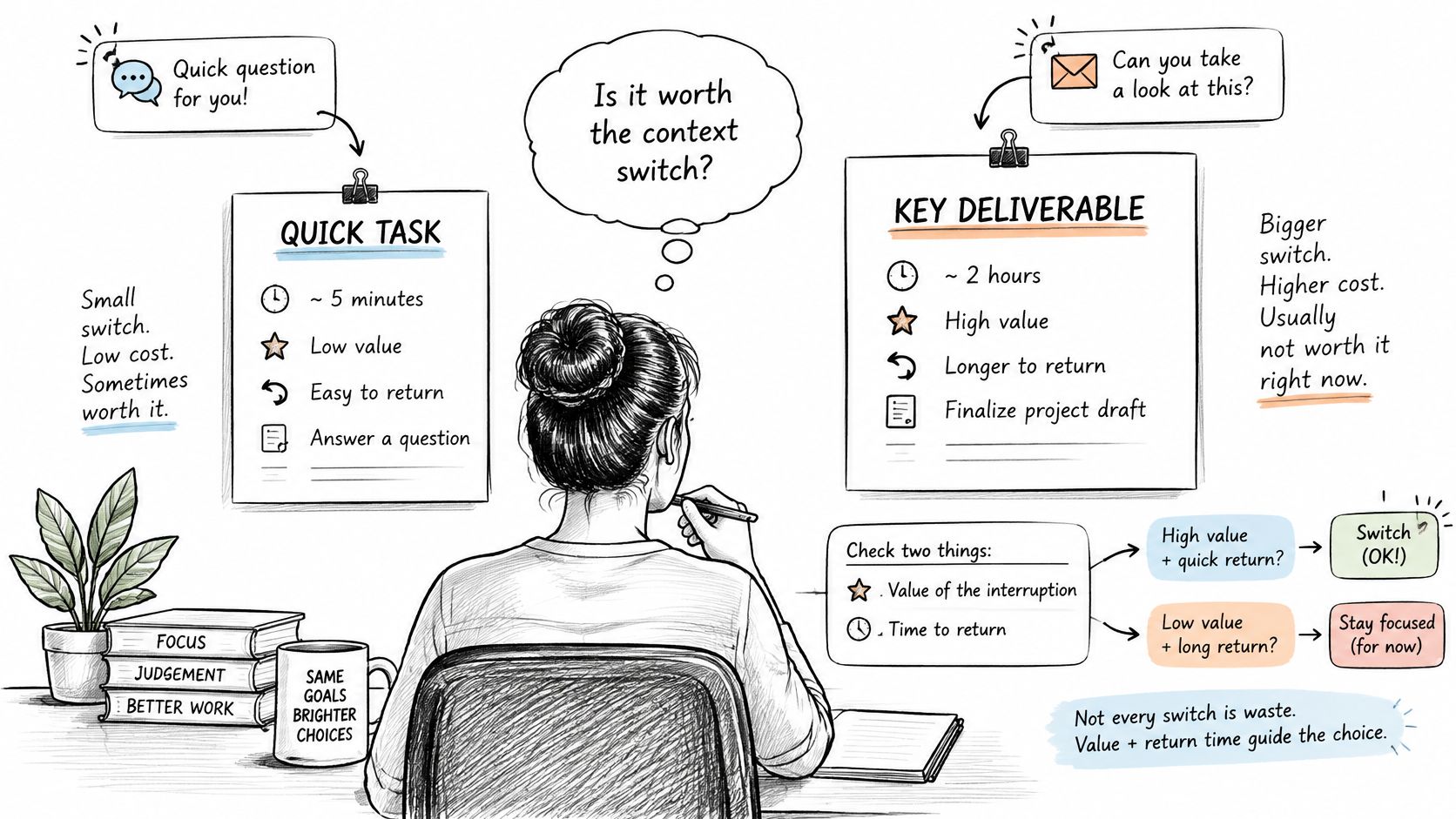
Permit, batch, or protect
- Permit consequential interruptions. Define a route for client emergencies, incident handling, and approvals that release blocked work. For example, you might publish a two-hour response window for urgent approval requests during working hours. Specify who covers that window so everyone else doesn't have to monitor it.
- Batch routine coordination. Put status questions, ordinary feedback, and nonurgent internal requests into fixed communication windows. As a starting arrangement, try a late-morning window and another before the end of the day. Tell stakeholders when to expect an answer.
- Protect execution. Reserve uninterrupted blocks for drafting, designing, coding, or analysis. Close unrelated project tabs and silence routine notifications. Make urgent coverage someone's explicit responsibility rather than a reason for the entire team to remain interruptible.
Require decisions from meetings and chat
Keep a meeting only when it has an owner, a decision objective, a pre-read, and recorded next actions. If the purpose is to distribute information, publish the update instead. If a discussion produces an assignment, turn it into an owned task with a due date that day.
A quick message isn't a small commitment if someone must remember it, interpret it, and chase its approval later.
At the weekly review, compare delivery time with coordination time, then inspect handoff delay and rework. Hours alone won't tell you whether a conversation prevented a mistake or merely repeated an existing update.
Use time-management apps to support that distinction, not to reward the busiest-looking calendar. If coordination dominates, inspect meeting obligations, approval routes, and response expectations before blaming personal discipline.
Repair the Usual Multi-Project Failures
In independent researcher Elizabeth Harrin's survey of 570 completed responses, 19% of surveyed project managers reported feeling overwhelmed in 2024. Treat overwhelm as a reason to inspect assignments and decision rights before prescribing better habits.
Match the visible symptom to a concrete intervention. Don't launch a wholesale process redesign when a missing owner or an unrecorded dependency is the immediate problem.
Multi-project failures and the move this week
| What you see | Likely cause | Move this week |
|---|---|---|
| Every project marked urgent | No one can defer work | Name one owner and drop the lowest cost-of-delay item |
| Green status and tired people | Coordination hidden off the board | Compare delivery hours with meetings and chat |
| One person on many projects | No work-in-progress cap | Freeze new work until active deliverables are one or two |
| Handoffs missed | Dependencies living in chat | Put blocked work on one queue with an owner |
| Client upset by a slip | Deprioritization was silent | Send the trade, the revisit date, and what still moves |
| Switching every few minutes | Habitual self-started checking | Batch checks and turn actionable messages into dated tasks |
The table gives you a diagnosis to test, not proof of the cause. Someone switching constantly may be responding to production incidents rather than checking messages habitually. Inspect the actual interruptions before removing access.
When several symptoms appear together, start by enforcing the active-work limit. Otherwise, each improvement may free room for another assignment, leaving the underlying overload unchanged.
Separate immediate corrections from capacity repairs
Some changes should be visible at the next Friday review. You can name an owner, freeze assignments, collect blocked work, and send an overdue stakeholder note without waiting for a new hire or a software migration.
Look for evidence that those changes held. Did managers route requests through the owner? Did anyone restart deferred work? Did the client receive a credible next checkpoint rather than an apology without a plan?
A specialist bottleneck takes longer to repair. Refusing new work won't instantly finish existing commitments, and cross-training someone won't immediately replace specialist judgment. Keep the queue constrained while you simplify scope, move suitable work to another person, or renegotiate dates.
For deadline repair, use Boss as a Service's guidance to plan projects around realistic deadlines as a planning aid, then verify the proposed dates against actual availability. For studios, design project management also requires explicit review and approval arrangements so production capacity isn't mistaken for end-to-end delivery capacity.
Record the symptom, the intervention date, and the evidence you'll inspect next. If the same failure returns, check whether the rule was unenforceable, ignored, or aimed at the wrong cause.
Start With One Honest Friday Review
Book the first review before shopping for another tool. Ask the people who can commit capacity and approve trade-offs to attend, and bring the live commitment inventory rather than separate slide decks.
Choose a real collision: a designer promised to different clients, a developer divided between launch work and maintenance, or an approver holding up several teams. Make the allocation decision during the meeting. Leave with a yes list that names deliverables and owners, plus a written no addressed to the stakeholder whose request won't proceed.
Test whether fragmentation is the constraint
Pay attention to what prevents the group from deciding. If everyone can inspect commitments, availability, and consequences in one place, keep the existing setup. A clearer operating rule may be all you need.
If the group spends the meeting hunting through a task app, chat channel, file store, and hours spreadsheet, consolidation deserves consideration. Missing context makes it difficult to tell whether a due date is achievable or whether someone already promised the same person elsewhere.
- Keep the system if decisions are easy: Don't migrate merely because another application looks cleaner.
- Consider consolidation if retrieval blocks decisions: Identify which missing connections prevented a reliable allocation.
- Delay automation until ownership is clear: Faster updates won't resolve conflicting authority.
If fragmentation is the constraint, Tuff combines projects, tasks, chat, documents, announcements, and time tracking in one workspace. My tasks collects everything assigned to you across every project, soonest first; time can be logged on the work itself, with the team's time shown in stats.
Those connections can support the review, but the portfolio owner still has to make the uncomfortable call. No workspace can turn an overloaded commitment list into a feasible week without changing what the team accepts.
Send the decision note before everyone leaves. State what's approved, what won't start, who communicates the change, and when the deferred request will be reconsidered. Monday should begin with an agreed allocation, not another round of private bargaining.
Tuff keeps project tasks, conversations, documents, and time records together so your team can inspect the work behind competing commitments. If your Friday review reveals that scattered information is blocking decisions, visit Tuff and use a live project to assess whether a shared workspace makes those decisions easier.