Planning and Prioritizing: How to Rank Work That Competes
Planning and prioritizing explained: compare ranking methods, follow five steps to rank competing tasks, and keep priorities intact when interruptions arrive.
Your list looks tidy at 9 a.m. By 10, a client has moved a deadline, a teammate is blocked, and a new request has arrived in chat marked urgent. Nothing on the original list disappeared, but it no longer describes what your team should do first.
That gap is where most planning and prioritizing breaks down. A ranked list made on Monday can't survive the week unless it includes realistic estimates, spare capacity, and rules for changing the order. Treat prioritization as a system for making trade offs under pressure, not as a one time sorting exercise.
Why Planning and Prioritizing Are Two Different Jobs
Say a project lead gets three client requests on Monday, all due Friday. Her team has enough hours for two of them if the estimates hold. She can accept all three, rank them carefully, and still fail, because ranking work that doesn't fit is not planning.
Planning decides which work will happen and when, given the people and hours available. Prioritizing decides which item goes first when time runs short. You need the first decision to set a feasible commitment and the second to protect the most important result when something slips.
A kitchen makes the split clear
A restaurant kitchen plans with a menu, prep schedule, and staffing rota. It prioritizes when three tickets arrive together and the cook chooses which one hits the grill first. A good menu won't save a service where tickets are cooked at random, and fast ticket decisions won't fix a menu the kitchen can't staff.
Many groups combine the two tasks into a single to-do list. The list then fails at both tasks. It doesn't confirm the work fits the week, and it doesn't indicate what to drop when a new request arrives.
If nobody can say what will move when a new priority arrives, you don't have priorities. You have a queue for disappointment.
The habit matters beyond tidiness. A 2021 meta-analysis of time management research synthesized 158 studies involving more than 53,000 respondents and found time management had a moderate relationship with job performance, academic achievement, and well-being. The relationship was stronger for work related performance than for academic performance, while standardized test results showed no discernible improvement.
That limit is useful. Planning organizes effort and helps people complete responsibilities, but it can't replace skill, staffing, or a feasible scope. I would use it to connect deadlines and capacity to concrete tasks, not to pretend a crowded calendar improves ability.
Run a quick test on next week. If the team chose the list intentionally and can name what it excluded, it's planning. If the list reflects whoever spoke last, it's reacting.
Choosing a Prioritization Method for Your Work
No method rescues a vague goal. Pick the lightest method that matches the decision in front of you, then agree what impact means before anyone scores an item.
Prioritization methods and when to use them
| Method | Ranks by | Best for | Main limitation |
|---|---|---|---|
| Eisenhower Matrix | Urgency and importance | Sorting a crowded personal inbox into four quadrants | Treats importance as fixed, so strategic work gets pushed aside |
| MoSCoW | Must, should, could, won't | Fixing scope before a release or client deliverable | Items drift into 'must' unless the team caps that group |
| Value vs effort grid | Expected benefit against effort | Quick decisions between quick wins and large bets | Value estimates are often guesses |
| ICE score | Impact, confidence and ease, each rated 1 to 10 | Ranking many small experiments | Scores stay subjective until the team calibrates them |
| RICE score | Reach, impact, confidence and effort | Comparing large backlog items with real reach data | Needs reliable reach data, which many teams lack |
Match the method to the decision
Use the Eisenhower Matrix when one person needs to clear a crowded inbox today. Put urgent and important work in do now, important but not urgent work in schedule, urgent but lower value work in delegate, and work that's neither in drop. It's fast because it forces a disposal decision, not just a ranking.
Its weakness shows up over several weeks. Important work without a deadline, such as fixing a broken handoff or documenting a client process, stays in schedule while every new fire takes the day. Review that quadrant weekly and give its top item a real time slot.
Use MoSCoW before a release, campaign launch, or client deliverable where scope must be fixed. The value sits in the won't category, because naming excluded work prevents it creeping back through side conversations. Cap the must group before you start. If everything is a must, you've deferred the decision to the deadline.
A value versus effort grid works well in a meeting when the team needs a usable order in thirty minutes. Quick wins sit in high value and low effort, large bets need explicit sponsorship, and low value high effort items should usually leave the list. Don't hide weak value guesses behind neat placement on a grid. Ask who benefits, how you'll know, and what happens if the work waits a month.
When a score helps and when it misleads
Use ICE for many small experiments, such as landing page tests, onboarding tweaks, or content ideas. Rate impact, confidence, and ease from 1 to 10, then sort. Calibrate with two or three examples everyone scores together first, otherwise one person's 8 is another person's 4.
Use RICE only when you have credible reach data, such as monthly users affected, accounts involved, or requests per week. It suits a large product backlog where items differ greatly in audience size. If reach is invented to complete the formula, RICE gives false precision and rewards whoever argues most confidently.
Before scoring, write one shared definition of impact. For an agency, impact might mean protecting billable delivery, unblocking a client decision, or reducing rework. For an internal team, it might mean revenue, risk reduction, or hours saved. Mixed definitions produce numbers that look comparable but aren't.
Practical rule: Choose one method per decision level. Don't score the same list with Eisenhower on Monday, MoSCoW on Tuesday, and RICE on Friday.
A simple weekly cadence beats occasional heroic sorting. If you want that cadence to stick, build a proactive task prioritization routine around a fixed review, one list, and one owner for changes. That routine matters more than finding a perfect formula.
I would keep personal sorting light, use MoSCoW for fixed scope commitments, and reserve scoring for backlogs too large to discuss item by item. The method should shorten the argument, expose the trade off, and leave a decision the team can act on.
How to Rank Competing Tasks in Five Steps
Ranking works when the list is complete, dated, scored against one definition, checked for dependencies, and cut to fit real hours. Skip a step and the order looks precise while hiding the reason it will fail.
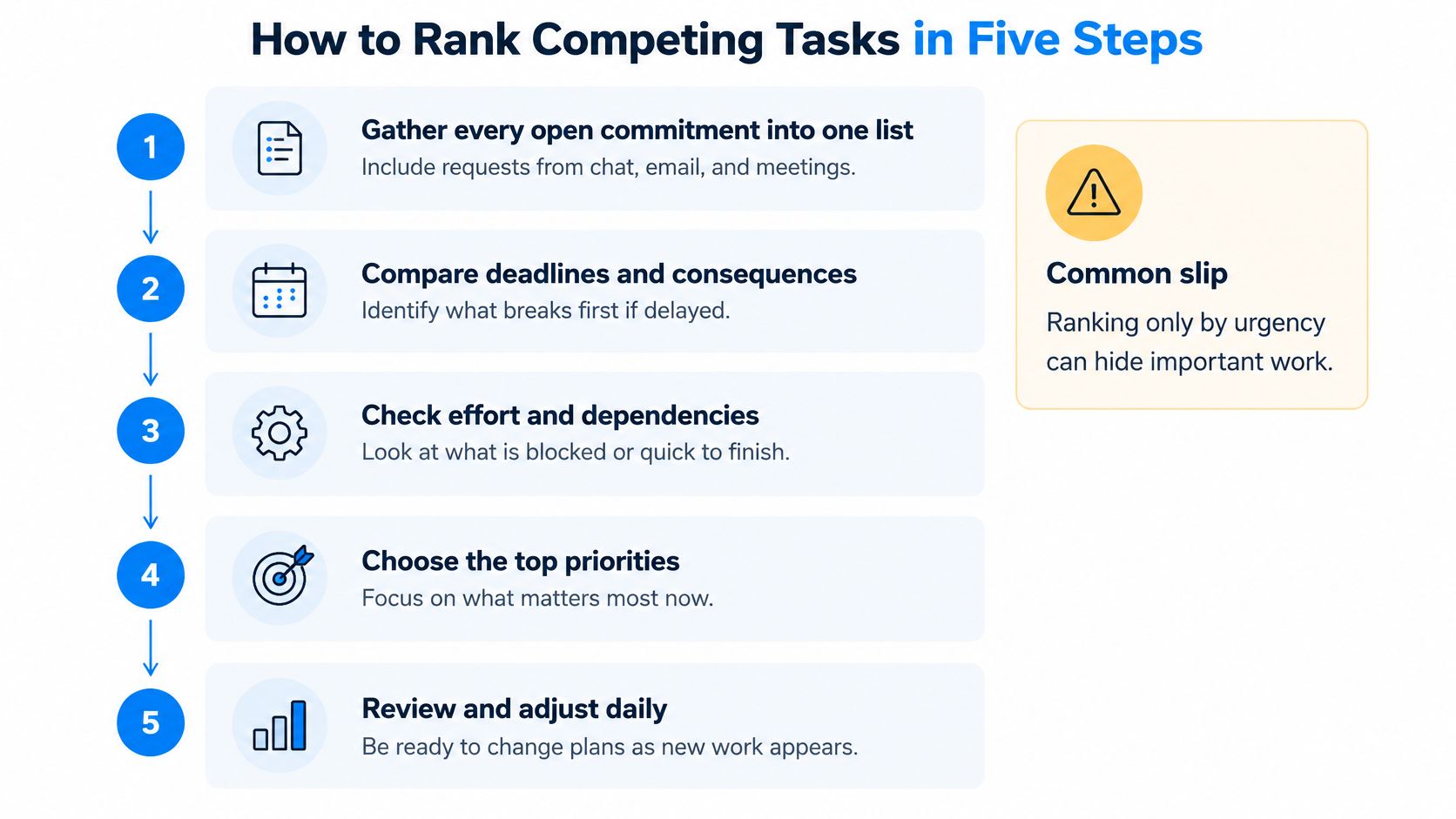
The five steps
Gather every open commitment into one list. Pull in requests from chat, email, meetings, documents, and verbal promises. The common slip is ranking only what you remember, which gives invisible work no chance to compete fairly and lets it ambush the plan later.
Give each item a deadline or flag it as no date. A deadline means a consequence date, not a hopeful finish date. Undated work is where priorities disappear, so either assign a review date, attach it to a milestone, or admit it's optional.
Score impact and effort with the chosen method. Keep the scale rough enough to move quickly, but cap high impact items at about one in five in your working example for the session. If half the list is high impact, nobody has made a choice.
Check dependencies before you lock the order. An item that blocks two others moves up even when its own score is modest. The slip is ranking a polished result above the approval, asset, or data it depends on, then discovering the top task can't start.
Cut the list to capacity and park the rest visibly. Commit only to work that fits, and move the remainder to a parking lot with an owner and review date. A parking lot isn't a graveyard if the weekly review promotes, deletes, or re dates items in the open.
Do the capacity check before the cut
Start with working hours, subtract meetings, admin, support, and recurring duties, then hold back the 20 to 30 percent unallocated buffer you'll use for interruptions. The remaining hours set the cut line. A top priority that needs twelve hours doesn't belong in a week with nine usable hours unless something else leaves.
Honest effort ranges help with planning. Use small, medium, and large bands if exact hours are unreliable, but convert those bands into hours before committing. Say a designer has 22 usable hours after meetings and buffer, then two large items and one medium item may already fill the week.
For a worked walkthrough of turning a messy list into ordered tasks, the step by step tutorial on setting up task workflows shows the mechanics of capturing, assigning, and sequencing work in one place. Use the mechanics to support the decision, not replace it. Software can display the order clearly, but a lead still has to defend the cut.
The cut line is the plan. Everything above it is a commitment, everything below it needs a date to be reconsidered.
How you know the ranking is real
Ask the lead to name the top five items without looking. If those match the list, the ranking reflects actual judgment rather than scoring theater. If they don't match, find out which one is wrong before work starts.
Watch the parking lot each week. It should shrink through deletion, completion, or promotion, not grow as a storage place for decisions nobody wants to make. Also watch undated items. A rising count means new work is entering without a consequence date.
Re rank when a deadline moves, a dependency clears, or capacity changes. Don't re rank because someone used urgent language in a message. The order should respond to facts that change impact, effort, timing, or available hours.
Why Estimates Fail and How to Correct Them
A team commits six weeks to a client portal. The tasks were ranked, the estimates looked careful, and the work still ships in nine. Nothing dramatic went wrong. Reviews took longer than anyone assumed, the client approved more slowly than the schedule allowed, and each small delay landed on a calendar with no room to absorb it.
That pattern has a name. The inside view builds a best case story from your own task list and assumes reviews, approvals, and handoffs will cooperate. The outside view asks a less flattering question. How long did similar work take last time, including the delays nobody wrote into the estimate?
Planning fallacy evidence
| Evidence | Figure | What It Means |
|---|---|---|
| Honors thesis forecasts (1994 study of psychology students) | 33.9 days predicted vs 55.5 days actual | Actual time ran about 64% longer than forecast |
| Students finishing by their predicted deadline | About 30% | Most students missed their own forecast |
| Major infrastructure projects | 86% went over budget | Optimism persists at organizational scale |
| Transportation projects (258 projects over 70 years) | Cost estimates underestimated in nearly nine of ten cases | No improvement across the period |
The figures above come from a planning fallacy research summary, and the pattern behind them stays consistent across decades of forecasting. People estimate the current task from an optimistic scenario even when they know similar projects ran long. A tidy priority list built on those numbers is an orderly set of overpromises, and everything below aims at that single failure.
Correct the estimate with a reference class
Reference class forecasting swaps one hopeful estimate for evidence from comparable finished work. Rather than asking how long this project should take, you ask how long projects like it took, then place the new estimate on that distribution. Use three steps.
- Identify a reference class. Group similar completed projects, such as website redesigns, onboarding migrations, or monthly reporting packs.
- Establish the outcome distribution. Record the spread of durations and effort across that group, including the outliers, rather than a single average.
- Compare the new project with that distribution. Choose a commitment level based on risk, then state the percentile you're using.
The percentile matters more than the estimate itself. An agency pricing a website redesign pulls logged hours from its last twelve redesigns and finds the middle result is only part of the story, because several projects ran long after late content and extra review rounds. For a fixed client date, it commits near the top of that distribution. For an internal improvement with a flexible deadline, the median may be acceptable. Same class, different risk, different commitment.
Don't slice the class too thin. Filtering by client size, industry, platform, team, region, and scope band at once can leave two comparable projects, which is not a distribution you can trust. Start with a few high value attributes, such as project type, client complexity, and scope band.
Three habits that keep forecasts honest
- Record a percentile target. Write, for example, that the date assumes a cautious outcome from the reference class, so stakeholders know what confidence they're buying.
- Hold back a share of weekly hours for known interruptions. Support queues, client feedback, and approval waits happen every week, so they belong inside the estimate. An estimate that consumes every available hour fails on the first interruption. The unallocated share is part of the forecast, not slack you forgot to assign.
- Log actual hours against the work. Each completed project enlarges the reference set and exposes recurring bottlenecks, such as legal review or asset delivery. In Tuff, time is logged on the task itself and the team's totals appear in stats, which keeps the reference class current without a separate audit.
Separate the estimate from the target. A manager can ask for a launch by a trade show, but that business target doesn't shrink the work. If the reference class says the target is unlikely, change scope, staffing, or sequence openly instead of letting optimism do the negotiating.
Before committing to a date, anchor it in what comparable projects took. The clean-run story is the one your estimate is already telling.
Keeping Priorities Intact When Interruptions Arrive
A defect report can reach the project lead before the first coffee, followed by a “quick” client request and a stakeholder asking for a firmer date. A calendar with every hour assigned gives that work nowhere to go. A resilient plan expects interruption and leaves room for it.
A 2025 review of planning and interruptions in knowledge work connects planning and contingency planning with a better ability to cope when interruptions arrive. The practical implication is straightforward: ranking tasks once is not enough. The system needs space for new work, a shared definition of urgency, and a visible process for deciding what gives way.
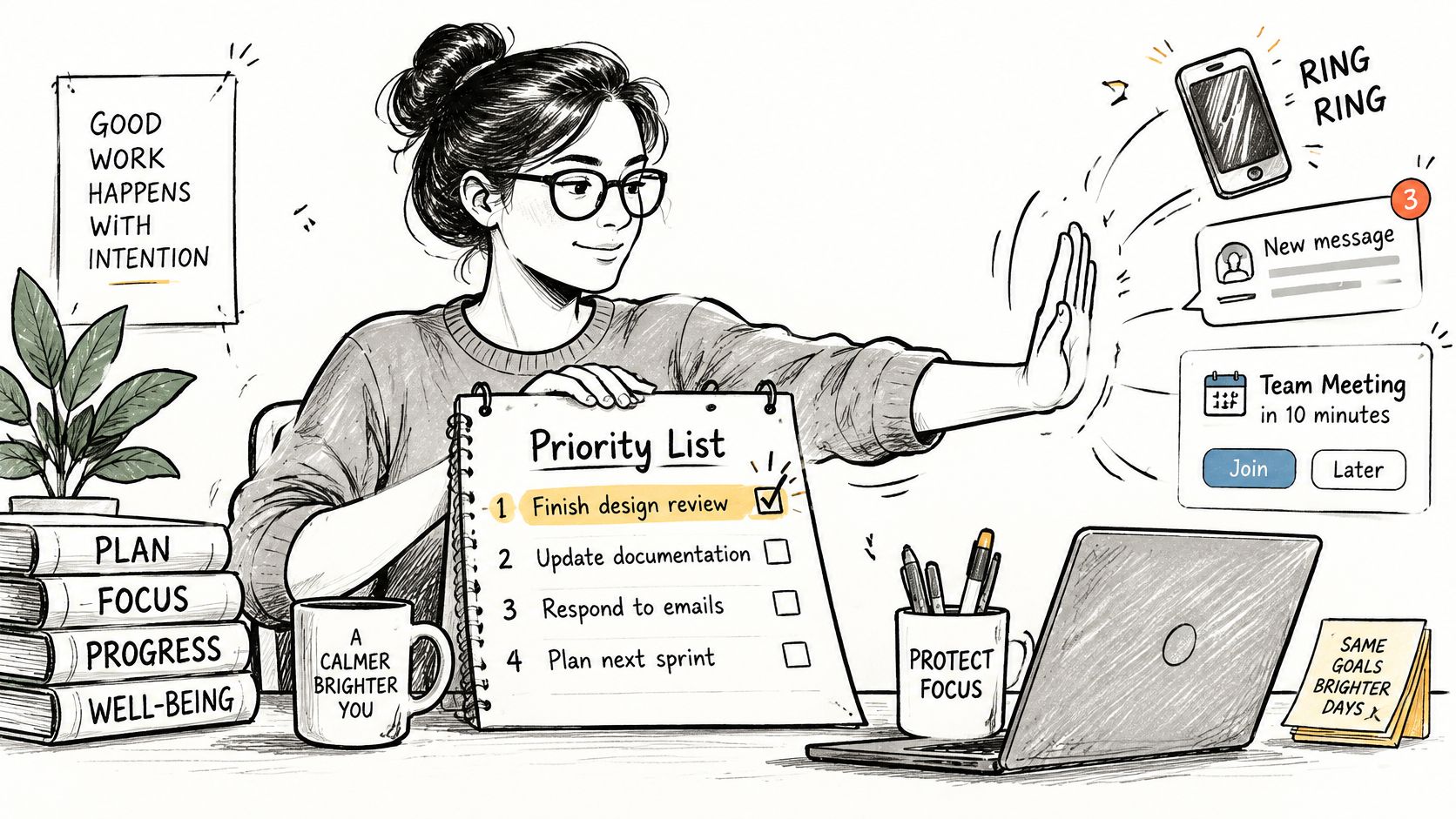
Four practices that protect the plan
Leave 20 to 30 percent of working hours unallocated. This protected capacity absorbs defects, client feedback, and short requests without immediately displacing committed work. Treat it as working time reserved for the unexpected, and do not assign it during weekly planning.
Define urgent before the week starts. For example, urgent means client revenue is at risk or a deadline lands within 24 hours. Everything else waits for the next checkpoint, no matter how forcefully the request is phrased.
Keep a priority change log. Record what changed, who decided, why, and which commitment moved as a result. That record prevents the team from relitigating the same trade-off or restoring dropped work.
Hold a ten-minute daily replan. Confirm that the top three items still hold, name anything blocked, and decide whether new work enters the buffer or displaces a commitment. Keep the meeting short enough that people continue attending.
To build better habits for focused work, protect the buffer in the calendar instead of treating it as space for extra meetings. Teams coordinating several client streams can use the guide to managing multiple projects without losing priorities to keep each project's trade-offs visible. The habit to build is deliberate replanning; constant availability only rewards louder requests.
Separate a real shift from noise
Run three tests before moving the order. Does the request move a deadline or create a near-term consequence? Will it block another commitment if it waits? Has the accountable decision maker confirmed that it should displace something else?
If none of those tests passes, capture the request, date it, and review it at the checkpoint. In Tuff, a chat message can mention the related task without losing the thread or become a task when it needs tracking. If a test does pass, name the displaced item in the log. A priority change without a displaced item usually means hidden overtime.
Put guardrails around AI help
An AI assistant can sort scattered requests, but a person should retain authority over the final ranking. A 2025 OECD report on generative AI and productivity reported the strongest productivity effects for well-defined, bounded tasks with clear objectives. Use the assistant to turn fragmented chat, email, and task data into candidate priorities; then have the decision maker approve the result.
Set five rules: restrict its reading to projects in scope; let it draft rankings and flag conflicts; require a rationale with a source reference for each proposal; require approval before it deletes a task or changes a deadline; and label every agent-made change in the log. Once a month, compare its lowest-ranked items against strategic goals, because quiet strategic work is easily buried under visible urgent work.
Unallocated time is part of a resilient plan. Filling every hour just moves the failure to the first interruption.
Writing If-Then Rules for Recurring Priority Calls
A client emails Friday afternoon: small change, already signed off, can it ship Monday? The team has this same argument every month, and each round burns an hour that should go to delivery. An implementation intention ends the rerun. The team decides once, writes the call as an if then rule, and acts the same way every time the trigger appears.
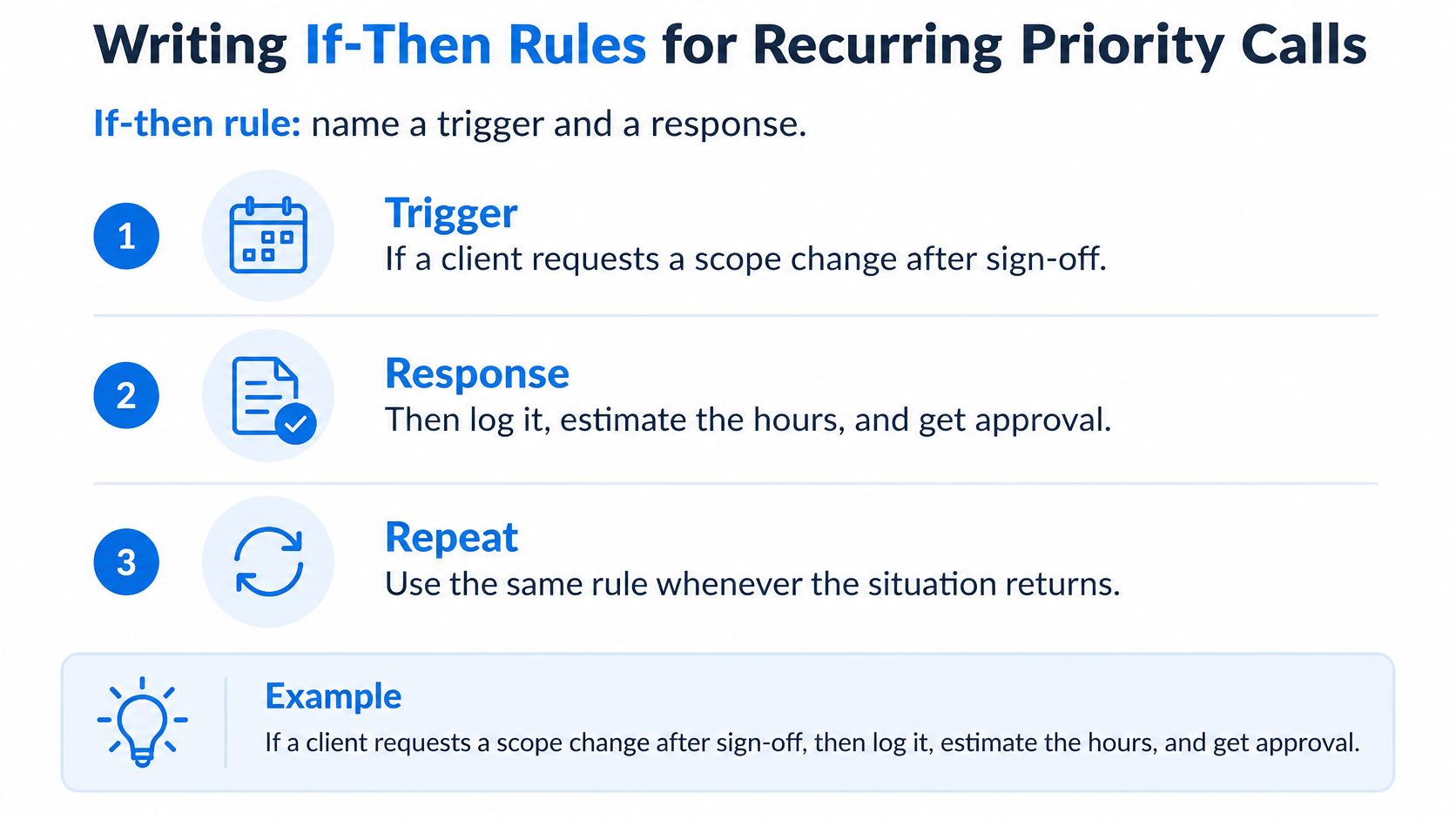
Use this format. If a client requests a scope change after sign off, then log it, estimate the hours, and get written approval before work starts. The rule names an observable trigger, a concrete response, and a stopping point.
The evidence for the format is strong. A meta-analysis of implementation intentions covering 94 independent studies found improved goal achievement with a medium to large effect size of d = 0.65.
The mechanism is practical. Pre linking a cue to an action removes deliberation when the moment arrives, protects ongoing work from distractions, and helps people abandon ineffective actions sooner. In project terms, the rule carries the decision so a busy Tuesday cannot reopen it.
Four rules for an agency or studio
- Blocked work: If a task is blocked for two working days, then escalate it to its owner with the missing input named.
- Chat requests: If a new request arrives in chat, then capture it as a task with an owner and due date within one working day.
- Late deliverables: If a deliverable is due in under 48 hours and unfinished, then cut the lowest value revision before adding hours.
- Overload: If assigned hours exceed a person's capacity, then move the lowest priority item to the parking lot and notify its requester.
Each rule prevents a familiar failure. Blocked work stops aging unnoticed, chat requests stop living only in a thread, late deliverables get a scope decision before panic, and overload produces a visible trade off instead of quiet burnout.
Write rules at task level with the trigger, required action, owner, and deadline attached. A vague rule such as if work gets busy, then prioritize better will fail because nobody can tell when it has fired. Busy is a feeling, not a trigger.
Test the rule before you adopt it
Can a person observe the trigger without interpretation? Two working days blocked, a request in chat, and under 48 hours to deadline all pass. A client seems unhappy does not pass until you define the signal, such as a written escalation or a missed approval.
Does the response fit the capacity you have? A rule requiring same day estimates for every chat request will collapse during a launch week. Unallocated hours earn their keep: a team running at 100 percent commitment has no room for any rule to fire, so every exception becomes negotiation. Hold part of the week open and the rules have somewhere to discharge. If the buffer cannot cover a response, lengthen the response time or narrow the trigger to client facing requests.
Rehearse new rules in the weekly review for the first few weeks. Read the trigger aloud, ask who acts, and check whether the response happened last time. Retire rules that no longer match the work, since a rule people have learned to ignore is worse than no rule.
Template: If [observable trigger] happens, then [named owner] will [specific action] by [time limit], and [displaced or parked item] will be recorded.
Start with the conflict your team repeats most often. One rule that holds under pressure beats a page of principles everyone forgets.
Run Your First Priority Review This Week
Pick one project or team where priorities feel unclear. Don't try to fix the whole organization in the first review.
- Gather the full list. Put every open item in lists such as Backlog, Todo, In Progress, or Done, where the list a task sits in is its status. Resolve undated items before ranking.
- Rank once, with checks. Use the single method you chose, then run the capacity and dependency checks before committing.
- Write three if then rules. Target the conflicts that surfaced most often and test that each trigger is observable.
- Book the review. Put a 20 minute weekly review on a fixed day, with the parking lot first on the agenda.
In Tuff, pressing C or New task creates a task that can carry a description, assignee, due date, and priority. My tasks collects everything assigned to you across projects, soonest first, so you can check your own order in one place. Pair that setup with the project implementation plan guide for sequencing delivery work when the ranked list needs milestones and owners.
If you need a simple weekly rhythm around the review, plan your week with Pretty Progress before the meeting so personal commitments don't contradict the team list. By the end of week two, you should have one visible ranked list, no unresolved undated items, and a priority change log recording at least one change, who made it, and why.
Bring your competing tasks, client chat, documents, and time logs into one workspace so the cut line, dependencies, and priority changes stay visible when the week shifts. Tuff gives your team projects, tasks, chat, docs, announcements, time tracking, and AI agents in one app, with flat workspace pricing instead of a fee for every person. Start with one project this week, run your first priority review, and keep the buffer that makes the plan hold.