
 Tuff
TuffGetting started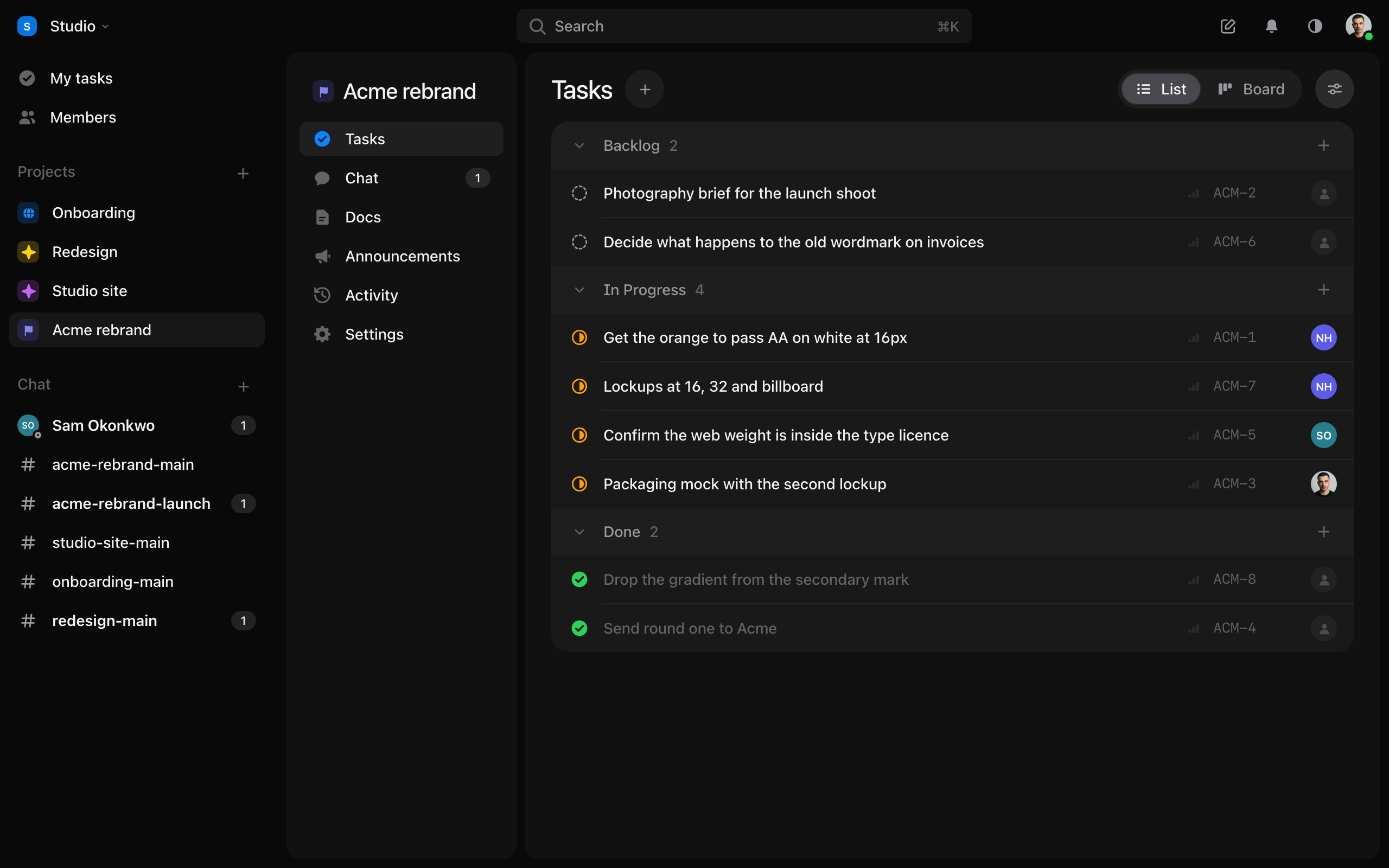
Start a workspace and your first project
Sign up, name your first project, and see what goes where.
A workspace is your team’s place in Tuff. Projects live inside it, and each project holds its tasks, its chat, its docs and its announcements.
- Go to usetuff.com/signup, or sign in with Google or Apple. Name your workspace.
- Confirm your email with the link we send.
- Name your first project and press Create project. It starts with five empty lists, ready for your tasks.
Rather look around first? Press Or explore a sample project instead. The sample sits behind a grey band; press Delete sample on the band when you’re done.
What’s where
- My tasks: everything assigned to you, across every project.
- Projects: each with Tasks, Chat, Docs, Announcements, then Activity and Settings.
- Chat: every room you’re in, project channels and direct messages together.
- The bar at the top: the workspace, search (
⌘K), notifications, and you.
Still stuck? Write to [email protected]. Tuff not loading? See status.usetuff.com.