 Tuff
TuffProjects and work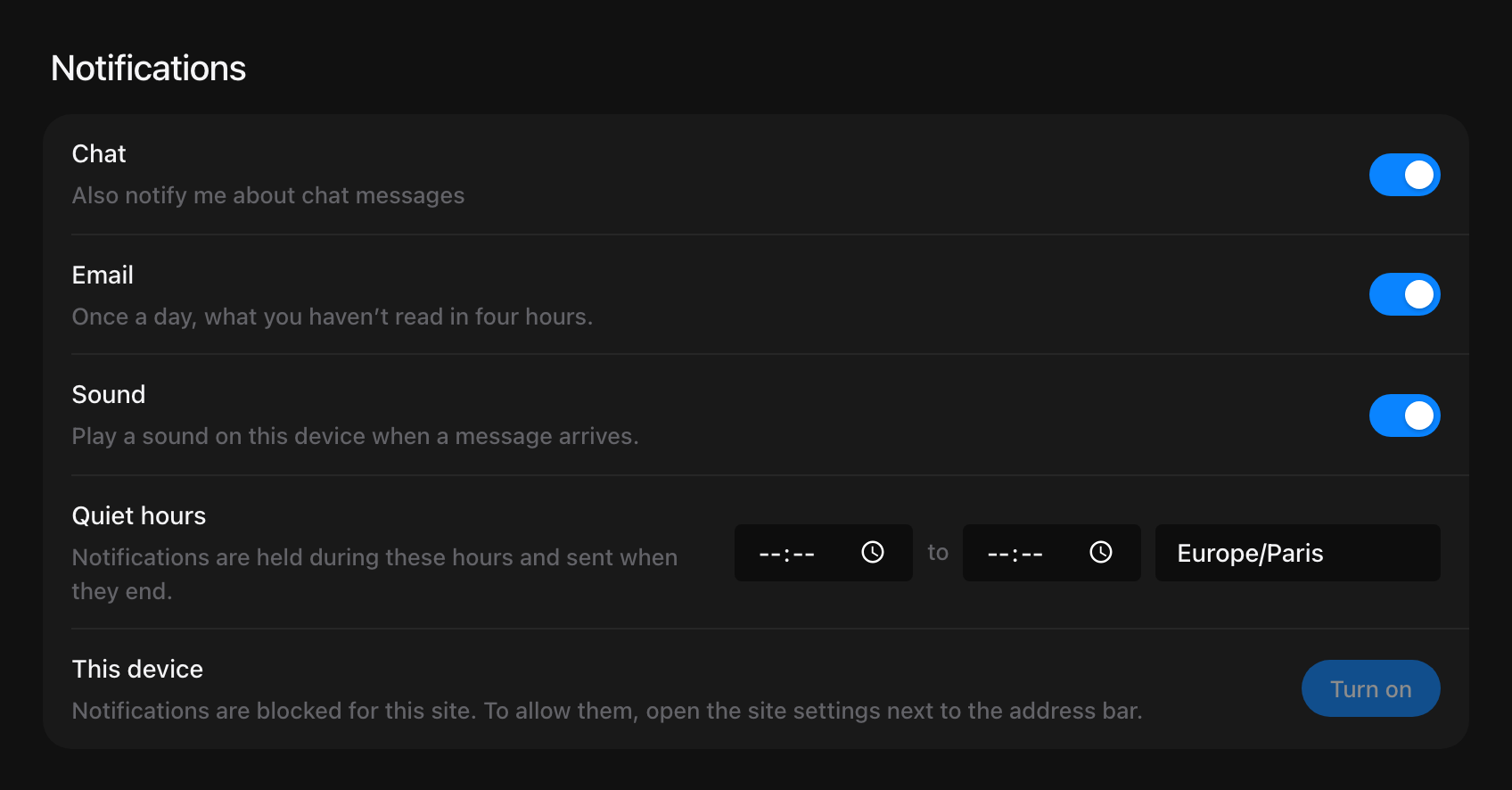
Notifications
The inbox, push notifications and quiet hours.
The bell at the top is your inbox: what you were assigned, where you were mentioned, replies in your threads, new announcements in your projects, dates coming up on your tasks, and what changed on things you follow — each says what happened.
You follow a task when you make it, comment on it or are given it. In a room, type @everyone to reach everybody in it.
On your phone or computer
- Open Account settings → Notifications.
- Press Turn on on each device you want them on.
- Quiet hours hold notifications and send them when the hours end.
- You can turn chat off there, so only tasks and mentions reach you.
- Email sends you, once a day, what you haven’t read in four hours. Turn it off there, or from the link at the bottom of the email.
On iPhone and iPad, install Tuff on the Home Screen first. Install Tuff
Still stuck? Write to [email protected]. Tuff not loading? See status.usetuff.com.