
 Tuff
TuffProjects and work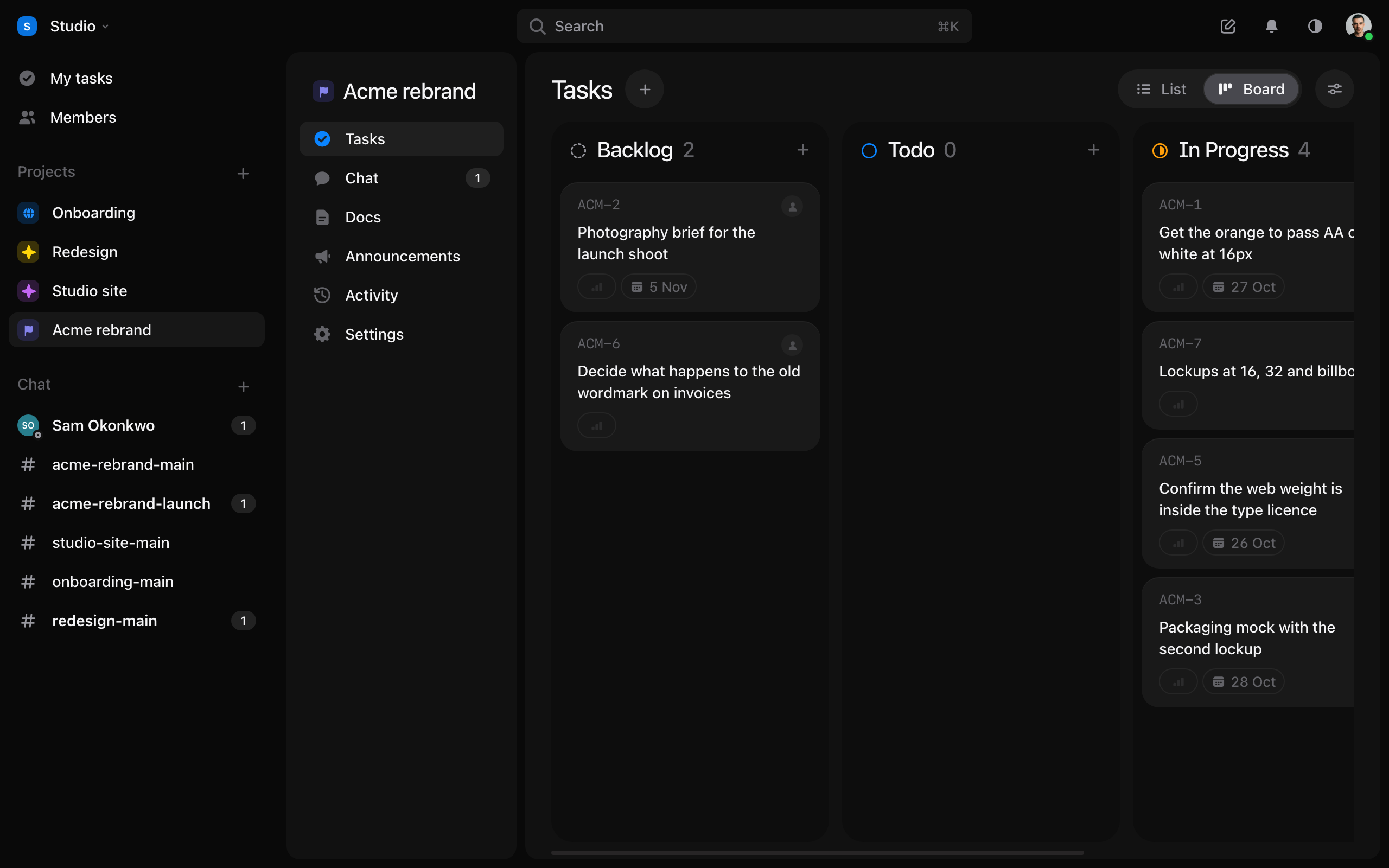
Tasks, lists and the board
A list or a board, subtasks, labels, sprints and My tasks.
A project’s tasks sit in lists, like Backlog, Todo and Done. The list a task is in is its status. See them as a List or a Board, with the switch at the top of Tasks.
- Press
C, or New task, to make one. Give it a description, an assignee, a due date and a priority. - Drag a card on the board to move it. ⌘Z puts back the last move.
- Open a task to add subtasks, labels and a sprint, and to comment.
- My tasks collects what’s assigned to you in every project, soonest first.
- Select several with
Xand change them together.
A task’s ⋯ menu can export it as a PDF, duplicate it, or copy it as a prompt for an agent.
Still stuck? Write to [email protected]. Tuff not loading? See status.usetuff.com.